
How to find out which apps use your location.
It is essential Discover which apps use your location. To reclaim your digital privacy before it becomes a commodity. Our smartphones silently record every step we take, shaping our routines without us even realizing it.
Adverts
Monitoring these permissions blocks invisible tracking and extends real battery life. Surgical control of geographic data gives you back control over your own digital life.
This practical guide deconstructs the iOS and Android menus, revealing what's hidden behind the scenes. You'll learn how to manage access and understand the true impact of continuous monitoring.
What changes in privacy when managing GPS?
Digital security ceases to be an abstract concept when we decide Discover which apps use your location. Every day, advertising companies cross-reference data to map highly profitable consumer habits.
Regaining this control cuts off the flow of data sent to partner advertising networks. There's also an immediate practical advantage: fewer processes running in the background save mobile data.
advertising
Geolocation should serve the user, being restricted to tools that truly depend on it. Map applications justify access, while simple games function very well without this limitation.
How do I find out which apps are using my location on Android?
Google's ecosystem has centralized these preferences in the latest versions to simplify navigation. The process begins by accessing the device's general settings and selecting the "Privacy" tab.
Within this menu, look for the "Permission Manager" option to list the system's active resources. Tap on "Location" and you will see a complete diagnosis of who is monitoring you.
Android categorizes software into those with perpetual access or those valid only during active use. Choose the "Always ask" option for suspicious apps and regain control of your device.
What are the steps to check the location on an iPhone?
In the iOS ecosystem, Apple adopts a strict isolationist stance when it comes to data handling. Open the “Settings” app on your home screen and scroll down to “Privacy & Security”.
Tap on “Location Services” to open the complete list of programs installed on the device. On this screen, the system displays subtle visual indicators next to each listed tool.
A purple arrow indicates recent use of the tracking feature in the last few hours. Opt for the “While in Use” setting to suppress unwanted background monitoring.
What are the real risks of continuous tracking?
Allowing unrestricted access to your actions creates vulnerabilities that go beyond targeted digital marketing. Leaks in fragile application servers often expose entire routine histories on the deep web.
Large corporations face legal challenges for tracking users without their explicit consent. This monitoring transforms common habits into valuable data for global profiling agencies.
++ How to use guest mode on Android to protect data.
How do operating systems alert us to the use of GPS?
Both Android and iOS display discreet icons in the device's top bar. An arrow or compass appears on the screen whenever the GPS hardware is activated.
Paying attention to these small signs helps to Discover which apps use your location. In real time. If the icon flashes while the phone is idle on the table, there is suspicious activity.
System updates provide reports that reveal the behavior of previously installed software. These summaries indicate which platforms abused geographic tracking over the past business month.
Comparative table of permissions by system
Below are listed the main differences in privacy management between platforms. See how each operating system handles user geolocation permissions.
| Privacy Feature | Android system (14+) | iOS system (17+) |
| Approximate Location | Available natively | Available natively |
| Background Usage Alert | Text notification | Colorful visual balloon |
| Recent Access History | Privacy Panel | Privacy Report |
| Global GPS Blocking | Button in Quick Settings | General Settings Menu |
When should you allow access to geolocation on your mobile phone?
Certain services are intrinsically dependent on geographic coordinates to deliver what they promise to the user. Map applications, urban routes, and food delivery services all require this parameter in real time.
The key is to grant temporary permission, valid only while the window is open. Avoid granting lifetime authorization to platforms that do not alter the delivery of core value.
++ Apps to find free Wi-Fi more safely.
How does approximate location protect your identity?
Modern systems have introduced the option to share only user-estimated geographic coordinates. This technology uses antenna triangulation to define a broad search region.
This means the software knows which neighborhood you're in, but ignores the building. This alternative perfectly suits weather forecasting tools or local news portals.
What to do if a suspicious app requires GPS?
If a simple game or calculator requires your coordinates to function, be immediately suspicious. This requirement usually hides a commercial interest in tracking your physical consumption habits.
Deny permission without hesitation and look for equivalent alternatives in the system's official store. The security of your data should be prioritized over abusive digital tools.
How can I periodically audit my cell phone's privacy settings?
Experts recommend thoroughly reviewing device permissions every three months. New downloads accumulate small privileges that we forget to review over time.
The audit process takes only a few minutes and provides lasting benefits for your security. Disable location services for anything that seems irrelevant or superfluous.
O Google Support It provides comprehensive documentation on how to manage data sharing on Android.
Staying informed ensures the correct use of system protection tools.
What is the impact of GPS on battery life?
The constant search for satellites consumes massive amounts of the phone's processor energy. Poorly optimized apps drain the device's battery by tracking data in the background.
Disabling unnecessary tracking extends daily usage time away from household power outlets. Energy efficiency goes hand in hand with preserving your digital privacy.
++ How to use PDF file management apps on your mobile phone.
How do Wi-Fi and Bluetooth networks reveal your location?
Even with GPS turned off, smartphones can triangulate positions through neighboring networks. Bluetooth tracking searches for commercial beacons scattered throughout shopping malls and integrated physical stores.
To mitigate this, disable network scanning in your phone's advanced connectivity settings. This prevents passive tracking when you walk through commercial establishments.
It gets easier Discover which apps use your location. controlling these secondary transmission channels.
The device's protection becomes robust against invasive proximity marketing strategies.
What is the role of Big Tech in data control?
Technology companies face constant pressure from international regulatory bodies to increase the transparency of their systems.
Current control tools are a result of these stringent governmental requirements.
Using these security resources is a fundamental right of every hyper-connected citizen today. Do not delegate the safekeeping of such sensitive information about your routine to third parties.
Periodically access your account control panel to check the histories saved in the cloud. Clearing these old records prevents the consolidation of long-term behavioral profiles.
How do I manage geolocation data in photos?
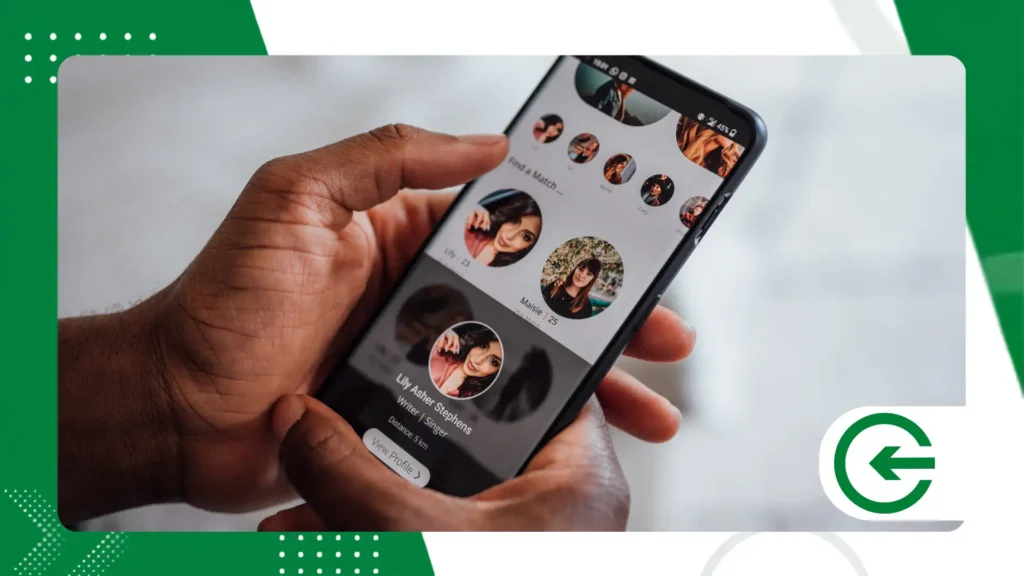
By default, cell phone cameras save the exact geographic coordinates of where the photographs were taken.
This feature, called geotagging, can expose your routine on public social media. Disable this function in the camera app settings to avoid unintentional leaks of addresses.
By doing this, your images shared online become free of dangerous metadata.
Conclusion
Managing smartphone permissions has gone from being a whim to a matter of security. Taking back control of geolocation breaks the logic of commercial surveillance that we accept without reading.
To understand the workings behind the mobile data protection architecture, it's worth reading the parameters of... Apple PrivacyUltimately, true privacy depends solely on the settings you tolerate.
FAQ – Frequently Asked Questions
Does disabling location services prevent Find My Device from working?
No, operating systems maintain a separate emergency permission for tracking in case of loss or theft. The standard lock only affects commercially installed third-party applications.
What happens if I deny location permission?
The application will function normally, except for functions that rely exclusively on geographic coordinates to operate. Most tools have options for manually entering addresses.
Do banking apps need my exact location?
Yes, financial institutions use geolocation as a security layer against fraud in banking transactions. The system cross-references your location with the terminal where purchases were made.
How can I tell if my GPS has been cloned or hacked?
The presence of unknown applications or absurdly high battery consumption indicates possible system anomalies. Monitor the permissions screen to identify hidden irregular activities.
What is Google's location accuracy?
It's a service that combines GPS, Wi-Fi, and mobile sensors to quickly determine your location. Disabling it saves power, but makes the initial location a little slower.
