
Photo editing apps with cinematic effects
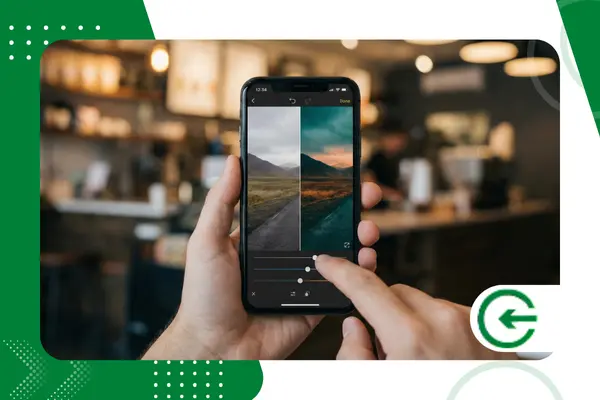
Transforming ordinary images into movie scenes requires the best... Photo editing with cinematic effects. available on the market today.
Adverts
The quest for the perfect visual aesthetic goes far beyond simple Instagram filters. Mobile photographers and content creators crave the narrative depth of cinema.
In this article, we'll explore the tools that bring Hollywood to the palm of your hand.
You'll discover apps capable of emulating classic films and adjusting colorimetry with professional precision. Get ready to elevate your posts with advanced visual techniques.
Summary
advertising
- What defines cinematic aesthetics in photography?
- What are the best apps for film effects?
- Adobe Lightroom Mobile: The power of color grading
- VSCO: The benchmark in analog emulation
- Dazz Cam: The charm of retro cameras
- Prequel: Visual effects and cinematic textures
- Comparison: Which tool meets your needs?
- How do I apply the "Teal and Orange" look to my phone?
- Conclusion
- Frequently Asked Questions (FAQ)
What defines cinematic aesthetics in photography?
The aesthetics of cinema don't happen by chance; they are an intentional combination of light, color, and texture. Cinematographers utilize the Color Grading to evoke specific emotions in the audience.
Bringing this to mobile involves manipulating tone curves and color balance. Photo editing with cinematic effects. It prioritizes dramatic contrast and harmonious color palettes.
Another crucial factor is the image texture, often overlooked by beginners. Classic films have grain, the famous "film grain," which adds an organic layer to the photo.
The aspect ratio of the image also immediately alters our visual perception. The format widescreen (16:9 or 2.35:1) crops the image, focusing the viewer's gaze.
Understanding these pillars is essential before downloading any application. The software is merely the tool; your creative vision dictates the final result of the work.
+ Apps that transform your voice into famous characters or funny sounds.
What are the best apps for film effects?
The app market in 2025 is saturated, but few deliver true quality. Image compression and artificial filters can quickly ruin a good photograph.
We've selected software that respects the integrity of the original file. The focus here is on creative control, color fidelity, and high-resolution export options.
Below, we detail four giants of mobile editing. Each has a different approach to achieving that look of... blockbuster desired.
+ How to edit photos for e-commerce and marketplaces.
Adobe Lightroom Mobile: The power of color grading
Lightroom remains the industry standard for serious photographers. It offers not just "filters," but complete control over light and color.
The "Color Grading" tool is the main highlight here. It allows you to color shadows, midtones, and highlights separately, creating three-dimensional depth.
You can create your own. presets Or import cinematic settings used by professionals. Adobe's cloud syncing makes workflow easier between mobile and computer.
+ CapCut vs. Lightroom Mobile: Which Edits Photos Better for Social Media?
Advantages:
- Non-destructive editing of RAW files.
- Advanced tools for masking and selecting objects.
- Absolute control over the tone curve.
Disadvantages:
- Steeper learning curve for beginners.
- Many features require a paid subscription.
Official Download: Adobe Lightroom for Android and iOS
VSCO: The benchmark in analog emulation
If the goal is to simulate real films like Kodak Portra or Fujifilm, VSCO is unbeatable. The company built its reputation by digitizing analog films with extreme scientific precision.
THE Photo editing with cinematic effects. VSCO is intuitive and based on presetsThe “X” series (exclusive to members) focuses on the natural degradation of film over time.
The app also offers impressive video editing tools. You can apply the same color correction from your photos directly to your clips.
Advantages:
- The most realistic movie emulations on the market.
- Minimalist interface focused on image.
- An inspiring internal community for creators.
Disadvantages:
- Most quality filters require an annual subscription.
- It has fewer spot retouching tools than Lightroom.
Official Download: VSCO Official Website
Dazz Cam: The charm of retro cameras
The cinematic aesthetic of the 80s and 90s is back in full force in 2025. Dazz Cam not only edits, but simulates the lens of specific vintage cameras.
The app recreates optical effects such as light leaks and chromatic aberration. These visual "errors" are essential for those seeking a nostalgic and less digital look.
It allows you to import photos from your gallery to apply the effect later. The video function also emulates VHS and Super 8 cameras with characteristic audio.
Advantages:
- Instant results without the need for complex manual adjustments.
- Unique lens effects such as "Star" and "Prism".
- Fast and visually authentic rendering.
Disadvantages:
- Available primarily for iOS (Android versions vary in quality).
- Limited control over exposure and contrast.
Official Download: Dazz Cam on the App Store
Prequel: Visual effects and cinematic textures
Prequel stands out for offering effects that go beyond color. It specializes in adding atmosphere, such as fog, dust, and the famous "Miami" effect (diffuse glow).
THE Photo editing with cinematic effects. It comes to life with the “Cinema” and “Teal” filters. The app uses artificial intelligence to adjust the intensity of the effects.
It's a favorite choice among digital influencers due to its ease of use. In just a few clicks, a plain photo can take on the look of a high-budget cinematic production.
Advantages:
- Vast library of aesthetic effects (VHS, Disc, Cinema).
- AI tools for face and background enhancement.
- Weekly updates featuring the latest visual trends.
Disadvantages:
- You can reduce the image quality in the free version.
- The interface is sometimes cluttered with too many purchase offers.
Official Download: Prequel App
Comparison: Which tool best meets your needs?
Choosing the ideal app depends on your skill level and ultimate goal. Analyze the data below to make an informed and assertive decision.
| Application | Main Focus | Cost-Benefit | Difficulty Level | Best for |
| Lightroom | Professional Control | Medium (Signature) | High | Photographers who demand technical precision. |
| VSCO | Movie Emulation | High (Annual) | Average | For those seeking fast, analog aesthetics. |
| Dazz Cam | Vintage/Retro | Great (One-time purchase/Ads) | Low | Creative people who love the 90s look. |
| Prequel | Visual Effects/Trends | Medium (Signature) | Low | Stories and viral content from social media. |
How do I apply the "Teal and Orange" look to my phone?
"Teal and Orange" is the most famous color scheme in Hollywood. It's based on the contrast between human skin (orange) and cool shades (teal).
To replicate this, open the “Color” or “HSL” panel of your application. Push the hue of the blues towards turquoise (teal) and slightly reduce the luminance.
Next, focus on the oranges and reds, increasing the saturation and luminance. This will make the skin tones stand out against the cool background.
Apply a light blue tint to the shadows using the "Color Grading" tool. The secret is in the subtlety; overdoing it makes the image look artificial and amateurish.
Finally, add a soft vignette to focus the eye on the center. This simple technique transforms any urban photo or portrait into a... frame of an action movie.
Conclusion
Mastering Photo editing with cinematic effects. It's a competitive advantage for content creators. It's not just about applying filters, but about telling stories through color.
The featured apps — Lightroom, VSCO, Dazz Cam, and Prequel — offer distinct paths to this narrative. Experiment with each to discover which best suits your creative flow.
Remember that technology evolves, but the photographer's eye remains irreplaceable. Use these tools to amplify your vision, not to mask a poor composition.
Start transforming your gallery into a cinematic portfolio today. For more technical analysis on image quality, consult the renowned [source/resource]. DXOMARK, a world reference in camera and lens testing.
Frequently Asked Questions (FAQ)
1Is it necessary to pay to get good results?
Not necessarily, but the paid versions offer crucial tools such as selective editing and high-quality export. The free Lightroom is very powerful, but VSCO severely limits the filters in the free version.
2. What is the difference between a filter and a preset?
A filter is usually a static layer applied over a photo. A preset is a set of adjustments (contrast, color, exposure) that can be modified individually after application.
3. How do I maintain photo quality after editing?
Always shoot at the highest possible resolution and, if your phone allows, in RAW (DNG) format. When exporting, always choose the "Maximum Quality" or "100%" option in the app settings.
4. What is the "halation" effect seen in film stills?
Halation is that reddish glow that appears around bright lights in analog films. Apps like Dazz Cam and Prequel can simulate this effect digitally quite effectively.
5. Can I use these apps to edit videos as well?
Yes, all the apps mentioned (Lightroom, VSCO, Dazz Cam, and Prequel) support video editing. However, video processing requires more from your smartphone's hardware.
