
How to choose the ideal router for a large house.
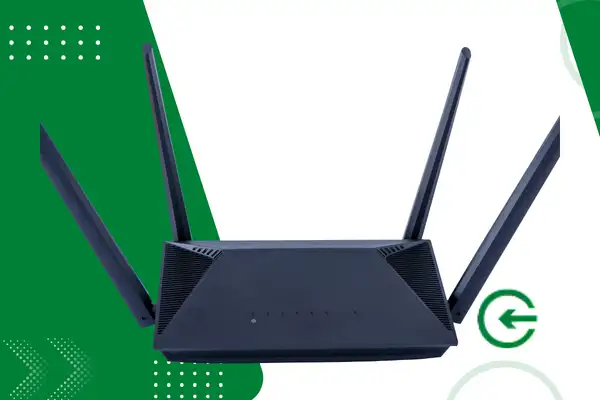
Find the ideal router for a large house It requires understanding how physical barriers and high square footage affect the propagation of residential wireless internet signals.
Adverts
Proper wireless network planning prevents connection dead spots, sudden speed drops, and high latency in environments far from the main device.
In this article, you will understand the essential technical criteria, the latest transmission technologies, and best positioning practices for covering large properties with maximum efficiency.
Summary
- What is the ideal router technology for a large house?
- How do square footage and physical barriers affect the Wi-Fi signal?
- What technical specifications should be considered before purchasing?
- Where should I position my router to get the best coverage?
- Frequently Asked Questions (FAQ)
What is the ideal router technology for a large house?
Houses with large living areas or multiple floors suffer from the natural wear and tear of radio signals. Common routers, which attempt to centralize everything on a single antenna, simply cannot handle the situation in these scenarios.
Network engineering has had to change its approach, creating modular systems that distribute internet bandwidth evenly throughout the built area.
advertising
This is where Wi-Fi Mesh systems come in, the smartest answer to eliminating traditional connectivity dead spots.
Unlike those old plug-in repeaters — which created slow and confusing parallel networks — the nodes in a Mesh system communicate with each other and form a single mesh throughout the entire house, all under the same network name.
As you walk through the rooms, your cell phone invisibly switches access points, always searching for the strongest signal.
This transition happens without video calls dropping or streaming freezing. The system distributes the data load in real time, ensuring a clean signal arrives wherever needed.
Investing in this infrastructure ensures that your ideal router for a large house It operates using fast roaming protocols, such as the international standards IEEE 802.11k, 802.11v and 802.11r. This technological ecosystem manages traffic in real time, directing devices to the least congested bands.
+ How AI-powered health wearables will monitor well-being 24/7.
How do square footage and physical barriers affect the Wi-Fi signal?
Brazilian residential architecture uses dense materials that act as true shields against electromagnetic waves.
Solid brick walls, reinforced concrete columns, large mirrors, and tiled bathrooms absorb antenna energy extremely easily, killing the signal that should reach the neighboring room.
To determine the actual needs of your property, you should compare the total area in square meters with the construction standard of the internal partitions.
Open-concept environments require less transmission power than older, two-story houses divided by thick structural masonry walls.
The table below presents the guidelines recommended by leading manufacturers and telecommunications engineers for sizing the amount of equipment needed based on the usable area:
| Total Area of the Property (m²) | Predominant Type of Architecture | Recommended Hardware Solution |
| 120 to 200 m² | Single-story floor plan with lightweight partitions. | Single High Power Router (Wi-Fi 6 or higher) |
| 200 to 350 m² | Two-story house or house with many walls. | Mesh Wi-Fi system consisting of 2 units. |
| Above 350 m² | Multiple floors and leisure area | Mesh Wi-Fi system with 3 or more units |
Understanding this mathematical relationship prevents you from buying undersized hardware, allowing you to select the right one. ideal router for a large house based on real geographic data from your residence.
Certain models offer advanced features of Beamforming, which direct the signal beam directly to the connected devices.
What technical specifications should be considered before purchasing?
The network technology market has evolved significantly, bringing new standards that optimize the coexistence of dozens of smart devices connected simultaneously in spacious home environments.
Currently, the minimum recommended specification for new investments is the Wi-Fi 6 (802.11ax) standard or newer versions such as Wi-Fi 7.
The big game-changer for these younger generations is the ability to manage data queues more intelligently.
Technologies such as MU-MIMO and OFDMA allow the router to communicate with multiple devices simultaneously, drastically reducing the waiting time for sending and receiving packets.
Focusing solely on Wi-Fi is a common mistake; pay attention to the device's physical ports. Give absolute preference to models with Gigabit Ethernet (1000 Mbps) or higher ports.
If you can connect the nodes of the Mesh system using shielded Cat6 network cables, you'll have the best of both worlds: wired stability in the structure and wireless freedom at the edge.
Also consider support for multiple operating frequencies, looking for devices that offer 2.4 GHz, 5 GHz, and the new 6 GHz bands. Lower frequencies have a greater ability to overcome physical obstacles, while higher bands deliver much higher transfer rates.
To fully understand how these regulatory standards operate and to check the official telecommunications equipment certifications, consult the data portal of [website/organization name]. Anatel, which oversees the sector.
Ensuring hardware compliance guarantees that antenna power operates within safe and efficient transmission limits.
+ Fast charging on mobile phones: current myths and truths.
Where should I position my router to get the best coverage?

The physical installation of transmission points determines the success of digital coverage, directly influencing signal attenuation across distant rooms.
The central unit should be located in a central geographical position in the residence, avoiding isolated corners, dense electrical wiring, and the inside of closed cabinets.
Ideally, devices should be mounted in higher locations, such as shelves or wall brackets, close to eye level.
Since the signal tends to propagate slightly downwards and sideways, this elevation clears the path of the radio waves, maximizing the useful range.
Avoid installing transmitter nodes near common sources of electromagnetic interference, such as microwave ovens, old cordless phones, baby monitors, and large aquariums. Water absorbs waves at a frequency of 2.4 GHz, blocking the signal from reaching the rest of the house.
When setting up a Mesh network as your ideal router for a large housePosition the satellite modules respecting the range limit of the main node.
Each additional unit needs to receive a strong signal from the base station in order to retransmit the internet with satisfactory speed and stability.
Using Wi-Fi analysis apps on your phone helps scan your home and map signal strength in real time.
They show the reception level in decibels, indicating where the real bottlenecks are and facilitating fine-tuning the position of the devices.
+ What are continuous learning algorithms and how do they impact apps?
Concrete Connectivity Strategies
Sizing a large residential network goes beyond looking at numbers on product boxes. It involves understanding the household's routine.
If there are areas where data usage is critical, such as offices or entertainment centers, planning should prioritize isolating these flows to avoid bottlenecks in the main network.
Adjusting infrastructure to new consumption patterns protects long-term investment, transforming the dynamics of family connectivity.
All this technical stability results in an imperceptible network that simply works in any corner of the property.
If you want to delve deeper into the security settings of these new frequencies and understand the inner workings of wireless network evolution, it's worth checking out the practical guides from [website/source name]. Wi-Fi Alliance, a global consortium that dictates the direction of this technology in the world market.
Frequently Asked Questions (FAQ) {#faq}
1. Does a standard wall outlet repeater solve the signal problem in a large house?
Hardly. Common repeaters create parallel networks with the same weakened signal they receive and often cut the speed in half, causing frequent connection drops.
2. What is the practical difference between Wi-Fi 5 and Wi-Fi 6 for large properties?
Wi-Fi 6 handles many devices connected at the same time much better and uses the Beamforming to focus the signal directly where the devices are, instead of firing in all directions.
3. How many mesh network nodes do I need to cover a two-story house of 300 m²?
Usually, two units solve the problem well. The main one is connected to the internet modem downstairs, and the second one provides coverage, strategically positioned upstairs.
4. Does cabling the nodes of the Mesh system offer real speed advantages?
Absolutely. The network cable acts as an exclusive expressway between the modules, leaving the Wi-Fi frequencies completely free to communicate only with cell phones, laptops, and TVs.
5. Where can I find information on whether the device supports the latest technologies?
Pay close attention to the product's technical specifications in the store or on the manufacturer's website. Look for the acronyms Wi-Fi 6 (802.11ax), MU-MIMO support, and standard "Gigabit Ethernet" ports.
