
RAW editing on your phone: is it worth it? How to do it and which apps to use
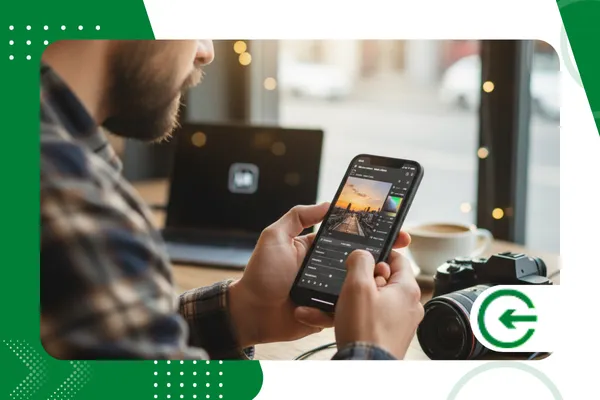
THE RAW editing on mobile It is no longer a luxury for a few, but an accessible reality that has transformed the workflow of photographers and enthusiasts.
Adverts
With the evolution of mobile technology, the question that echoes in the photography community is: is it worth investing time and effort in this type of editing on the small screen?
How can I do this efficiently? And, after all, what are the best apps for this task?
In this article, we'll dive deep into the world of editing RAW files on your smartphone, revealing the benefits, teaching you step-by-step, and showcasing the most powerful tools on the market.
Get ready to take your photography to the next level right from your pocket!
advertising
The Quiet Revolution: Why Mobile RAW Editing Has Become So Relevant
The world of digital photography has undergone a radical transformation. While computers were once the hub of all post-production, today, smartphones have established themselves as a complete creation and editing tool.
The ability to capture and edit RAW files directly from your smartphone is not just a convenience, but a paradigm shift.
RAW files are like digital negatives: they contain all the information captured by the camera's sensor, without compression or processing.
This means you have much more adjustment potential at your fingertips than with a JPEG.
In practice, the RAW editing on mobile It allows you to recover details in shadow or bright areas, adjust the white balance with surgical precision and manipulate colors non-destructively, ensuring that the final image quality is the highest possible.
This agility is what has attracted professionals and amateurs alike. Imagine, for example, an event photographer.
It can capture the images, transfer the RAW files to your phone, and, while the event is still underway, make the essential adjustments to post a preview on social media.
The speed of information is crucial in today's world, and RAW editing on mobile meets this demand masterfully.
The flexibility of being able to work anywhere—whether on the subway, in a cafe, or during a work break—democratizes the creative process and optimizes time.
+ Sites that measure your real internet speed
Mastering Editing: Step-by-Step Guide and Best Practices
The transition to the RAW editing on mobile It may seem intimidating at first, but with the right approach, you'll find the process intuitive and powerful.
The first step is to ensure that your camera, whether it's your smartphone's own camera or a dedicated camera, is set to save images in RAW format.
After capturing, the next step is to transfer the file to your phone. Modern cameras with Wi-Fi or Bluetooth make this process easier.
If your camera doesn't have this functionality, simply use a memory card reader compatible with your smartphone.
With the file in hand, open it in your preferred editing app. And here comes the most important part: the editing itself.
Unlike editing a JPEG, where adjustments are more limited, when working with a RAW file you have complete control.
Start with basic adjustments. Exposure is the starting point. Adjust it to ensure the photo isn't too bright or too dark.
Next, focus on contrast to bring the image to life. A good tip is to use the highlights and shadows tools to restore lost details.
You'll be surprised how much information can be extracted from an area that seemed completely black or white.
Another crucial point is white balance. Adjusting the temperature and hue of an image can completely change its atmosphere.
THE RAW editing on mobile allows this change to be made precisely, without compromising quality.
A practical example: you photographed a sunset, but the photo came out with a yellowish tone that doesn't reflect reality.
When editing the RAW file, you can easily adjust the color temperature to create a more natural balance.
The final step is color grading. Saturation and vibrancy are important, but use them sparingly to avoid overwhelming the image.
Many applications also offer selective color adjustment (HSL) tools, which allow you to manipulate the hue, saturation, and luminance of specific colors.
Finally, add a touch of sharpening to give your photo more definition and save the result in your preferred format, usually JPEG for sharing or TIFF to maintain maximum quality.
Read too: Photo Editing Tips for Instagram Reels
The main characters: which apps to use for RAW editing on your cell phone
The market for photo editing apps for smartphones is vast, but not all of them are designed to handle theRAW files efficiently.
Choosing the right app will determine your experience.
Here are some standout options, each with its own unique features:
- Adobe Lightroom Mobile: Arguably the king of mobile editing, Lightroom is the choice of many professionals. It offers a comprehensive set of tools, including advanced light and color adjustments, curves, camera profiles, and synchronization with the desktop version. The interface is clean and intuitive, and the ability to organize photos into albums makes the workflow much more efficient.
- Snapseed: A free app from Google that's surprisingly robust. While not as complete as Lightroom in some aspects, it offers high-quality editing tools and a variety of filters and effects. Snapseed is an excellent entry point for those looking to start editing RAW files without any commitment.
- VSCO: Famous for its artistic filters, VSCO also has a powerful editing engine. While many know it for its community and presets, the app also has tools for precise adjustments to exposure, contrast, color, and sharpness. RAW file editing is one of the features of the paid plan, and it's worth it for those looking for a more cinematic and consistent style in their photos.
Choosing the ideal app will depend on your needs and work style. If you're looking for maximum control and integration, Lightroom is the best option.
If you prefer something free and efficient, Snapseed is a fantastic alternative.
A recent survey, published by Global Digital Report 2024 from We Are Social and Meltwater, indicated that the average time spent on smartphones by active users in 2024 increased to 6 hours and 49 minutes per day, and that the creation and consumption of visual content, including photography, plays a central role in this growth.
This reinforces the importance of tools such as RAW editing on mobile, which allow content creators to produce high-quality images quickly and anywhere.
See too: How to Use AI to Restore Old and Damaged Photos
Advantages and disadvantages: the balance of RAW editing on mobile
Like any tool, the RAW editing on mobile Each has its pros and cons. To help you decide if it's worth it for your workflow, we've compiled a table with the main points to consider:
| Benefits | Disadvantages |
| Agility and convenience: edit photos anywhere. | Screen limitations: the small screen can make precision adjustments difficult. |
| Superior quality: make the most of sensor information. | Processing power: may be slow on older phones. |
| Total control: adjust exposure, colors and white balance. | Storage: RAW files take up a lot of space on your phone. |
| Portability: shoot and edit without needing a computer. | Learning curve: It may take time to master the tools. |
The disadvantage of screen size can be overcome with precise zoom, and the limitation of processing power has decreased considerably with the evolution of mobile processors.
The perfect analogy for the RAW editing on mobile is that of an artist with his color palette. A painter might choose a canvas and use only two colors, creating a work with little depth.
However, if he uses a full palette, he can create a work rich in nuances and details.
Likewise, a RAW file gives us a full palette of information to work with, while a JPEG is a limited palette.
Conclusion: the RAW editing on mobile Is it worth it for you?
The answer to this question is yes, without a shadow of a doubt. RAW editing on mobile It's not just a trend, but a natural evolution of photography.
It is a tool that provides agility, portability and quality control that was previously unthinkable outside of a computer.
The value of your work lies in its ability to deliver a high-quality image, and this editing method delivers exactly that.
With the variety of apps and the constant evolution of smartphones, it's never been easier to transform your photos into works of art, right from your pocket.
What are you waiting for to start exploring the full potential of your images?
Frequently Asked Questions about RAW Editing on Mobile
1. Can every cell phone edit RAW files?
Most modern smartphones with mid-range and high-end processors have the processing power to edit RAW files, but experience may vary. Ideally, your device should have a robust processor and ample RAM for a smooth workflow.
2. Do I need a paid plan to edit RAW on mobile?
Not necessarily. Apps like Snapseed allow you to RAW editing on mobile for free. However, apps like Lightroom Mobile, while having a free version, offer full functionality for RAW files on a paid plan.
3. Is it possible to edit RAW files from dedicated cameras on my phone?
Yes, it's entirely possible. Most smartphone photo editing apps, like Lightroom, support RAW formats from major camera manufacturers like Canon, Nikon, and Sony. Simply transfer the file to your phone.
4. Does RAW editing on mobile replace editing on computer?
For most users and for most cases, the RAW editing on mobile is sufficient and may even be more efficient. However, for work that requires extreme granular control, the use of layers, or specific plug-ins, editing on a computer is still the best option. Mobile is a complementary and powerful tool, but not necessarily a complete replacement for a professional workflow.
