
How to create HDR effect on your phone without professional apps.
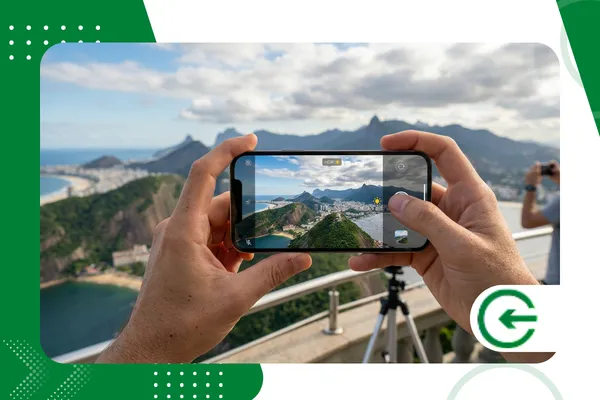
Mastering the HDR effect on mobile phone It became a game-changer for those tired of washed-out photos, but who don't want the bureaucracy of signing up for complex software or carrying heavy equipment.
Adverts
Computational photography has advanced so much that today, the tiny sensors in our pockets can balance light that, not long ago, would have required physical filters and a considerable amount of manual post-processing.
This guide dissects how to extract maximum texture and depth from your captures, focusing on what really matters: visual technique and the resources already built into your operating system.
Navigation Summary
- What is mobile HDR technology?
- How do I enable native HDR on Android and iPhone?
- What lighting techniques can replace apps?
- How do I edit the dynamic range in the gallery?
- Table: Sensor Comparison (2026)
- FAQ: Frequently Asked Questions
What is the HDR effect on mobile phones and why does it matter?
The term HDR (High Dynamic RangeIt sounds technical, but it's simply about giving shadows and light a chance to coexist in the same image without one canceling out the other.
You know that sky that turns into a white blur while the face of the person you're photographing remains in darkness? That's a lack of dynamic range, a problem that physics tries to impose, but software solves.
advertising
The secret of HDR effect on mobile phone Modern photography is not a magic trick of brilliance, but rather the silent stacking of multiple photos taken in fractions of a second with distinct exposures.
Understanding this mechanism is liberating, because you stop fighting against the light and start using it as an ally, predicting how the device's processor will interpret the contrast in front of you.
How do I enable the HDR effect natively on my phone?
In the latest generation devices, such as the top-of-the-line models from 2026, HDR is often so built-in that the system doesn't even ask if you want it; it simply happens.
If you use an iPhone, go to Settings, then Camera, and check if "Smart HDR" is enabled, as it's what saves your photos on cloudy and dull days.
For Android users, the path is usually the gear icon within the camera itself, looking for "Auto HDR" or the ubiquitous "Scene Optimizer" from your brand.
An underrated trick to force the HDR effect on mobile phone It's the manual touch on the darkest area of the viewfinder before clicking, which forces the algorithm to recalculate the exposure.
This small manual interaction "wakes up" the light meter, signaling that you don't accept a shadow lacking detail, allowing the color-blending software to work with richer color data.
Which capture techniques guarantee the best dynamic range?
The greatest enemy of a good HDR effect on mobile phone Ironically, it's the photographer's haste that causes this, since even the slightest shake can create strange artifacts in the merging of the frames.
Since the phone is actually taking multiple photos to create a single one, keeping the device steady is what separates a professional image from a confusing and ugly digital blur.
Use the exposure lock feature (the padlock that appears when you hold your finger on the screen), as it prevents the phone from changing its mind about the light mid-shot.
The position relative to the sun dictates the tone: side lights tend to be gentler on the sensor, creating shadow transitions that... HDR effect on mobile phone loves to process.
It is in high-contrast scenarios, such as the glare between buildings or twilight, that this technique shows its value, revealing textures in rocks and clouds that the human eye barely perceived.
How to create an HDR effect on your phone using only the gallery editor?
The photo came out of the camera, but the HDR effect on mobile phone It can gain a new lease on life if you know how to use the right controls in your native gallery without having to download anything.
Avoid the temptation to simply increase the brightness; the true “HDR look” is built on the delicate relationship between the “Highlights” and “Shadows” in your photo.
Try dimming the highlights to bring out the blue in a washed-out sky, and then brighten the shadows to reveal what was submerged in total darkness.
Use the "Structure" or "Definition" adjustment sparingly to add that characteristic sharpness to the edges, which gives a more tactile and realistic look to the final composition.
Here we seek balance: the HDR effect on mobile phone Well-made work is work that the viewer doesn't realize has been edited, maintaining naturalness without creating artificial white halos.
++ How to use generative AI in photos to create realistic scenarios.
What are the physical limitations of HDR on current smartphones?
Even with the power of AI in 2026, it's impossible to ignore that small sensors have their physical limitations, especially when we try to stretch color and light information too far.
Trying to force the HDR effect on mobile phone In near-total darkness, this often results in digital noise, that grainy texture that makes the photo look "dirty" and blurry.
At times like these, physics triumphs over software: propping your phone against a wall or using a tripod helps the sensor capture more real photons, reducing reliance on digital interpolation.
The table below shows how the latest sensors perform in terms of dynamic range, which is essential for understanding how far you can take your photo editing.
++ How to upscale images with AI without losing quality.
Sensor Performance Comparison (2026)
| Sensor Model | Sensor Size | Dynamic Range (Stops) | Core Technology |
| Sony IMX989 Gen 3 | 1 inch | 14.2 stops | Dual Conversion Gain |
| Samsung ISOCELL HP5 | 1/1.3 inch | 13.5 stops | Deep Trench Isolation |
| Apple Custom A19 | 1/1.28 inch | 13.8 stops | Photonic Engine V3 |
| OmniVision OV50H | 1/1.3 inch | 12.9 stops | Dual HDR ISO |
When should you avoid using HDR to prevent ruining your photograph?
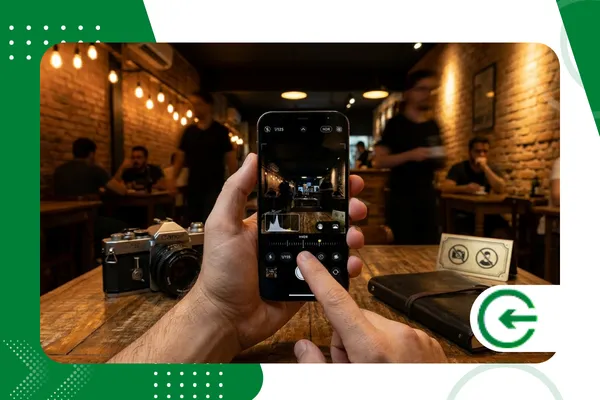
HDR is a tool, not an absolute rule, and there are times when too much visual information ends up killing the mood and artistic intent of your image.
In dramatic portraits, where the interplay of light and shadow takes center stage, the HDR effect on mobile phone One might try to "save" shadows that should remain dark, destroying the mystery.
Fast-moving objects are also problematic: if your dog runs in the park, HDR can create ghostly trails because the scene changed between clicks.
In these cases, it's worth disabling the automatic mode and opting for manual mode, prioritizing click speed over light compensation to ensure a perfect freeze.
Good photography is born from this discernment: knowing when we want absolute detail and when we prefer the visual silence of a well-defined silhouette against the horizon.
++ Tools for transforming photos into digital art.
The future of mobile publishing without extra apps.
Get one HDR effect on mobile phone What truly impresses has less to do with the app store and much more to do with its ability to interpret ambient light.
By mastering the native settings and understanding the limitations of your sensor, you stop fighting with the technology and start creating images that have weight, depth, and soul.
The technological landscape of 2026 has facilitated the process, but the final curation and adjustment of perspective remain human responsibilities that no algorithm can fully replicate.
For those who wish to delve deeper into the technical metrics of how each lens on the market performs, the website of DxOMark It is the safe haven for high-precision data.
FAQ: Frequently Asked Questions about HDR Mobile
Does HDR consume more battery?
Yes, the effort of processing multiple frames and merging them in real time requires intense hardware activity, which drains power a bit faster than normal.
Why did my HDR photo come out with strange colors?
This is usually the result of aggressive processing that attempts to even out all the lights, resulting in grayish tones. Try reducing the shadow adjustments a bit in post-processing.
Can videos also have HDR?
Currently, most cell phones record in HDR10+ or Dolby Vision, adjusting the light of each frame so that the video maintains the visual impact of a still photograph.
Does HDR help with food photography?
Very much so. It helps to highlight the textures and shine of food, especially in restaurants with strong spotlights that would create harsh, unappetizing shadows.
Is it better to use automatic HDR or always-on HDR?
Automatic mode is usually smarter, activating the feature only when the sensor detects a light difference that it cannot resolve with a single shot.
