
Apps that simulate professional cameras on your cell phone.
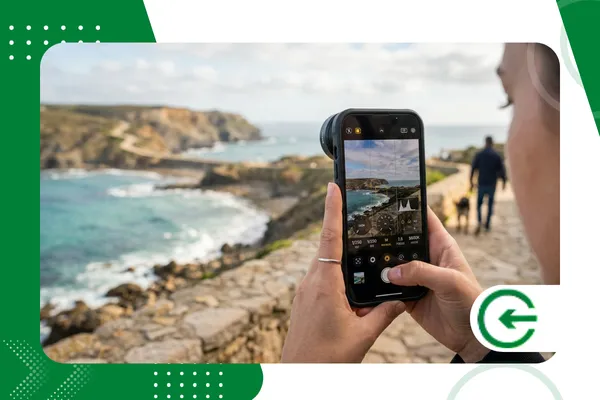
Use apps that simulate professional cameras on your cell phone It transformed the way we produce visual content in 2026, democratizing access to resources that were previously exclusive to expensive equipment.
Adverts
The evolution of mobile sensors has enabled developers to create complex interfaces, offering complete control over the exposure triangle and raw file processing directly in the palm of your hand.
In this comprehensive guide, we'll explore the best tools available, how to configure your device for maximum quality, and the technical secrets to elevate your photographic and cinematic captures.
Summary
- The technological impact on mobile photography in 2026
- What are the best ones? apps that simulate professional cameras on your cell phone?
- How do manual controls influence the final image result?
- How important is support for RAW and Apple ProRAW formats?
- Technical comparison: Main tools on the market
- Practical tips for optimizing your smartphone's hardware.
- FAQ: Frequently asked questions about professional mobile photography
- Conclusion and next steps
What are the best apps that simulate professional cameras on your phone?
Choosing the ideal software depends directly on your goal, whether it's high-resolution still photography or producing videos with a professional cinematic aesthetic.
O ProCamera It remains the gold standard for iOS users, offering seamless system integration and touch controls reminiscent of DSLR cameras from mainstream brands.
advertising
For the Android ecosystem, the FV-5 Camera It stands out for emulating a technical camera interface, allowing for extremely intuitive adjustments of shutter speed and ISO.
Already the Filmic Pro It remains unbeatable in terms of cinematic quality, allowing for high bitrate recordings and Log color profiles, essential for professional-level post-production.
Explore apps that simulate professional cameras on your cell phone It requires understanding that the software acts as an intelligent bridge between limited hardware and the photographer's creative vision.
How do I set the ISO and shutter speed for perfect photos?
Mastering ISO is the first step in avoiding unwanted digital noise, keeping the sensor's sensitivity at the lowest possible value in environments with controlled lighting.
Shutter speed determines how movement will be recorded, and is crucial for freezing fast-moving action or creating that smooth effect in waterfalls and city lights.
Manually adjusting the white balance ensures that the colors in the scene are reproduced accurately, preventing the phone's automation software from distorting skin tones.
Many apps that simulate professional cameras on your cell phone they offer the feature of focus peaking, which highlights the sharp areas of the image, ensuring that the focus is always accurate.
When using manual mode, the user assumes creative responsibility, allowing them to intentionally underexpose a scene to preserve detail in bright areas, such as the sky.
What is the importance of shooting in RAW format on a smartphone?
Shooting in RAW means capturing all the raw data from the sensor, without the aggressive processing and destructive compression that JPEG files typically undergo on devices.
This flexibility is essential in editing, allowing you to recover deep shadows and control highlights that would seem lost in a regular photo captured by the system's native app.
When choosing apps that simulate professional cameras on your cell phoneAlways check if exporting to DNG (Digital Negative) is available to ensure the longevity of your work.
The ability to manipulate color temperature and hue after the shot, without loss of quality, defines the boundary between an amateur and a professional photographer.
++ Tools for transforming photos into digital art.
Technical Comparison: Best Apps of 2026
Below, we present a technical analysis of the main options on the market, focusing on features that truly make a difference in the daily lives of those seeking high-performance results.
| Application | Main Focus | RAW support | Exclusive Feature | Operating System |
| Halide Mark III | Pure Photography | Yes | Neural Processing | iOS |
| Moment Pro Camera | Lenses and Video | Yes | Anamorphic Control | Android / iOS |
| Filmic Pro v7 | Mobile Cinema | Yes | Log v3 and Zebra | Android / iOS |
| ProShot | Versatility | Yes | Light Painting Modes | Universal |
How does manual focus control transform your portfolio?

The autofocus on modern smartphones is excellent, but it rarely understands the artistic intent of focusing on a specific element in complex depth-of-field planes.
Using the manual focus slider allows you to create the effect. bokeh In a natural way, taking advantage of the sensor's minimum focal length to isolate the main subject.
Several apps that simulate professional cameras on your cell phone They include digital magnifiers that enlarge the focus area on the screen, allowing for millimeter-precise adjustments before the final shot.
This precision is essential for macro or product photography, where any millimeter error in sharpness can invalidate an image intended for catalogs or social media.
The technical consistency achieved through manual control increases the client's confidence in your work, demonstrating complete mastery over the equipment used in visual production.
++ How to create mosaics and collages for stories.
What accessories complement the use of these apps?
Despite the power of the software, the hardware can be enhanced with the use of ND (Neutral Density) filters, which allow you to lower the shutter speed even in bright sunlight.
A stable tripod is a user's best friend. apps that simulate professional cameras on your cell phone for long exposure photography or high-resolution time-lapses.
High-quality external lenses help expand the field of view or provide true optical zooms, minimizing the need for digital zoom which degrades the image.
External lighting, via portable LED panels, ensures that the sensor always operates within its native ISO range, preserving maximum dynamic range and vibrant colors.
Integrating these accessories with professional software creates a complete production ecosystem, capable of rivaling entry-level mirrorless cameras in terms of practicality.
Why invest time learning manual photography on your cell phone?
Understanding the fundamentals of light and photographic technique through a cell phone is the quickest and cheapest way to develop a critical eye and valuable technical skills.
The content creation market in 2026 values professionals who deliver speed without sacrificing refined aesthetics, something only possible with the correct use of these tools.
Master apps that simulate professional cameras on your cell phone It allows you to always be ready to capture decisive moments with the highest possible technical quality at that instant.
The initial learning curve is rewarded with photos that possess personality, depth, and a visual clarity that the automatic filters of social media will never be able to replicate.
++ Tips for travel photos: quick and effective adjustments
FAQ: Frequently asked questions about professional mobile photography
Do paid apps really outperform native cameras?
Yes, because they remove the layers of aggressive automatic post-processing, allowing the user to decide how the final image should be rendered according to their style.
Is it possible to take photos of stars (astrophotography) with these apps?
Yes, by using long exposure control and setting the ISO to moderate values, these apps allow you to capture details of the night sky that automatic mode misses.
Do these apps consume more battery power?
Yes, real-time data processing and the screen brightness required for manual adjustments demand more from the hardware, so the use of external batteries is recommended.
Can I print photos taken with these apps in large formats?
Absolutely, especially if you shoot in RAW. The richness of detail preserved allows for significant enlargements for prints and physical portfolios with excellent sharpness.
What are the minimum requirements to run these software programs?
Devices with high-performance processors and at least 6GB of RAM are recommended to ensure that the capture interface does not experience delays during quick adjustments.
Conclusion
Mobile photography has reached a level of maturity where the limiting factor is no longer just the hardware, but rather the user's technical knowledge of the available tools.
By adopting apps that simulate professional cameras on your cell phoneWith this, you take creative control of your visual narrative, ensuring technical results that stand out on any digital platform.
The balance between cutting-edge technology and theoretical foundation is the secret to transforming a simple smartphone into a powerful high-fidelity image creation station.
Continue exploring the endless possibilities of digital imaging and deepen your technical knowledge through specialized portals such as... Digital Photography Review, a world reference in sensor analysis.
