
How to use Wi-Fi smart plugs to save energy
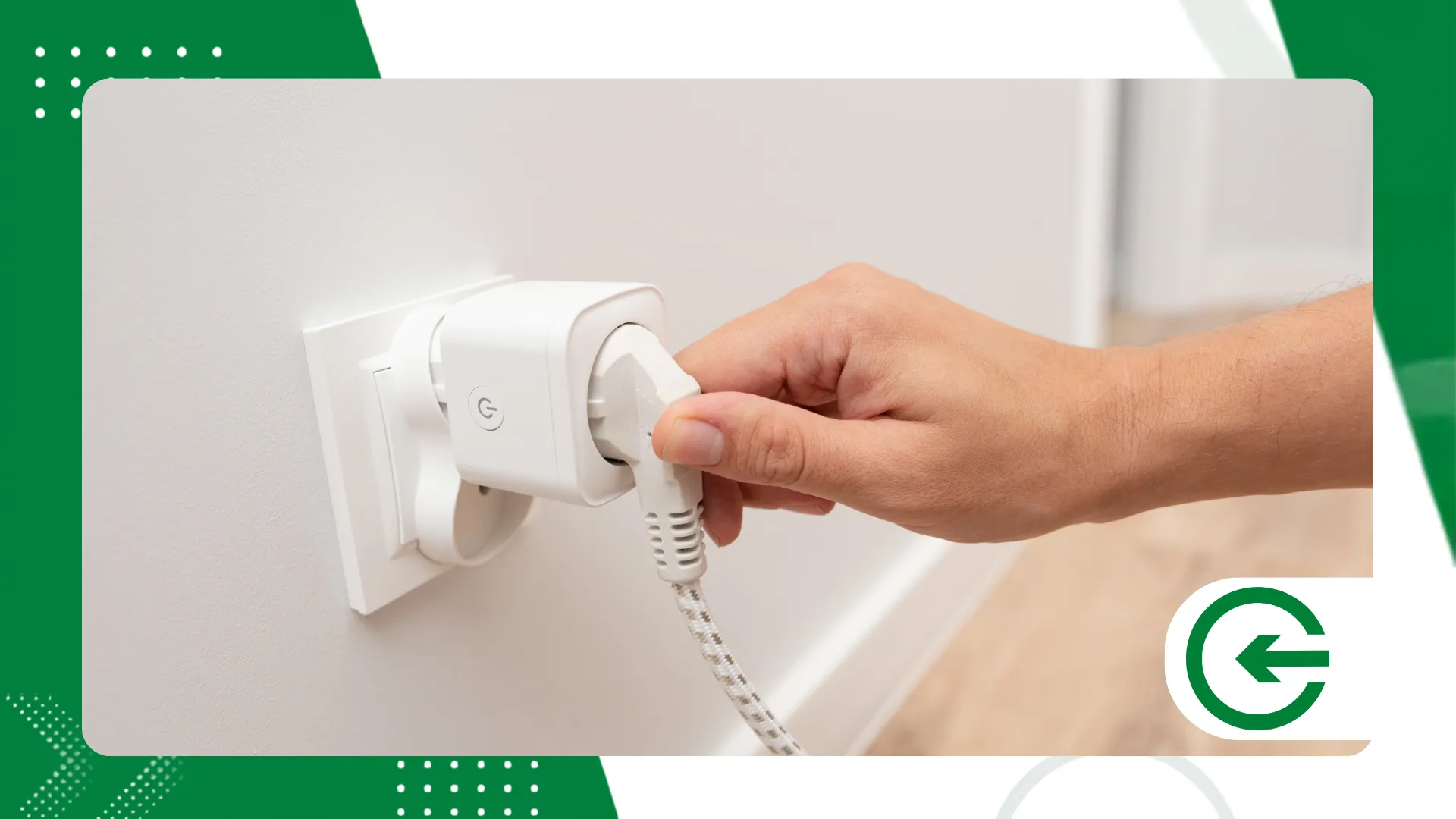
The quest for efficiency in electricity bills has found a curious ally in... Wi-Fi smart plugs.
Adverts
At first glance, they just look like ordinary plastic adapters.
However, these small devices provide surgical control over consumption that most people don't even know they need.
The central point is not to create a technological revolution in your living room, but to tackle silent waste.
That old appliance or coffee maker that keeps the griddle hot all day doesn't need to be replaced with the latest expensive models.
advertising
Simply take control of their power supply.
Understanding the logic behind this simple adjustment changes the way we manage our household routine.
And best of all: the relief in your wallet appears as early as the following month.
Summary
- What are Wi-Fi smart plugs and how do they help save money?
- How do Wi-Fi smart plugs combat standby power consumption?
- Which devices generate the most savings when connected to Wi-Fi smart plugs?
- How to set up automatic routines on Wi-Fi smart plugs to reduce costs?
- What is the real impact of home automation on your electricity bill?
- What mistakes should you avoid when using Wi-Fi smart plugs to optimize energy?
- Conclusion
- Frequently Asked Questions (FAQ)
What are Wi-Fi smart plugs and how do they help save money?
They function as a kind of programmable toll installed between the wall socket and the plug of your device.
Connected to the home's Wi-Fi, these devices translate electrical current into data accessible on a mobile phone screen.
Through the app, you can turn any equipment on and off remotely.
But the game-changer lies in models with integrated current meters, which reveal the exact kilowatt-hour consumption of each point in the house.
There is something quite revealing in looking at this diary record.
We quickly discover which electronics act like veritable energy "vampires" without producing any benefit whatsoever.
With this numerical data in hand, it becomes easy to make realistic decisions without having to guess what's straining the budget at the end of the month.
It's the end of that blind pursuit of savings, replaced by practical management that doesn't require sacrifices in family comfort.
How do Wi-Fi smart plugs combat standby power consumption?
There's a common myth that appliances that are switched off don't use electricity.
In practice, digital panels, charging lights, and remote control receivers continue to draw electricity non-stop, 24 hours a day.
Televisions, video game consoles, and TV set-top boxes are masters at draining resources in this standby mode.
Individually they may seem like pennies, but the sum of them all over the year takes its toll.
When placing Wi-Fi smart plugs In these bottlenecks, you establish a physical cut in the electrical current at the exact moment the device becomes unused.
Instead of walking around the house unplugging wire after wire before bed, you program the system to turn everything off at midnight and turn it back on only at breakfast time.
This invisible automation stops the financial bleeding without requiring any painful changes to your daily routine.
Which devices generate the most savings when connected to Wi-Fi smart plugs?
Not every electrical outlet in your home needs to become a smart outlet.
Automating room lighting adds charm, but real savings happen when we tackle equipment with thermal cycling or unnecessary continuous use.
Water coolers and coffee makers continuously maintain hot or cold reservoirs.
They work hard during the early hours of the morning to deliver ice-cold water to a house where everyone is asleep.
Secondary routers, work monitors, speakers, and desktop computers are included in the same package.
They remain connected simply because the user forgets.
Apply Wi-Fi smart plugs These targets interrupt the pointless cycle of work.
This also has the added benefit of reducing wear and tear on the product's internal electronic components.
Directing the adapters to the right places ensures that the value invested in them will return to your pocket in a very short time.
What is the role of energy efficiency in residential solar energy systems?
For those who have photovoltaic systems installed at home, integrating programmable adapters into the electrical circuit further optimizes the self-consumption of energy generated by the panels during peak solar hours.
By synchronizing the operation of higher-load equipment with periods of maximum solar irradiance, you reduce your dependence on the distribution network.
Consequently, this maximizes the financial return of your microgeneration system.
To better understand the compensation rules and current legislation on distributed generation in Brazil, access the regulations of... National Electric Energy Agency (ANEEL).
How to set up automatic routines on Wi-Fi smart plugs to reduce costs?
Simply download the app recommended by the brand and sync the accessory with your home's 2.4 GHz Wi-Fi network.
Within the app, avoid manual activation and go straight to creating schedules tailored to your family's actual timetable.
A good feature is countdown timers.
Use this to limit the charging time of cell phones, bedroom fans, or heaters that shouldn't run all night.
More advanced systems use your cell phone's geolocation to turn off electronics the second you lock the door and leave the house.
Integrate the system with your preferred voice assistant.
In addition, keep an eye on the weekly chart to refine your operating hours whenever the routine changes.
++ Vehicle tracking technology simplifies urban life.
What is the real impact of home automation on your electricity bill?
To move the discussion out of the theoretical realm, we gathered average consumption estimates to compare the direct cost of common electronics with and without the use of smart management.
++ How to use automatic synchronization between devices in your routine.
| Connected Device | Average Consumption without Automation | Optimized Consumption with Plug | Estimated Monthly Savings (%) |
| Water Fountain | 30 kWh/month (On 24/7) | 10 kWh/month (Connected 8 hours/day) | ~ 66% reduction |
| Gaming PC + Monitors | 15 kWh/month (Continuous standby) | 1 kWh/month (Complete cut-off) | ~ 93% reduction |
| Electric coffee maker | 12 kWh/month (Heat maintenance) | 3 kWh/month (Actual usage only) | ~ 75% reduction |
| Home Theater + Set-top Box | 18 kWh/month (Standby mode) | 2 kWh/month (Nighttime switch-off) | ~ 88% reduction |
What mistakes should you avoid when using Wi-Fi smart plugs to optimize energy?
The most dangerous oversight is ignoring the adapter's amperage limit.
Attempting to connect heavy equipment to basic models often melts the plastic and damages the circuitry.
Most common adapters are made for 10 amps.
Going beyond that by connecting window air conditioners or electric dryers is asking for trouble.
Cutting off the engine's power alters the internal temperature, spoils the food, and makes the compressor work twice as hard afterward.
Also avoid installing these adapters in Wi-Fi dead zones.
If the signal drops, the device may miss the precise moment to perform the scheduled shutdown.
Finally, opt for products approved by safety agencies and avoid the temptation to plug multiple adapters and extension cords into the same outlet.
How to choose the ideal Wi-Fi smart plug for your needs?
Before buying the first model you see, it's worth checking practical details such as the supported amperage rating and the physical shape of the device's pins.
Opt for adapters with the Brazilian three-pin standard and give preference to models that offer integrated consumption measurement within the app itself.
Another essential point is to check compatibility with your internet network's 2.4 GHz frequency, a standard requirement for most of these devices to function without instability.
How can I monitor the individual power consumption of each device using my cell phone?
Monitoring reports through the app transforms abstract data into practical actions in your daily life.
Most platforms provide daily and monthly graphs in kilowatt-hours, allowing you to compare the consumption of each electronic device with the amount charged by the utility company.
By noticing unusual consumption spikes at a certain time, it becomes easy to readjust automations or identify appliances that are worn out and consuming more energy than they should.
++ How to use magnetic portable chargers in everyday urban life.
Conclusion
Managing household energy consumption is no longer a bureaucratic task based on turning off lights; it has become a logical process of eliminating excess energy.
To the Wi-Fi smart plugs They show that home automation doesn't have to be an inaccessible luxury.
This is a practical cost-cutting tool that fits any budget.
To view updated tables on the energy consumption of the main devices on the market, consult the test reports from [website/source name]. National Institute of Metrology, Quality and Technology (INMETRO).
Frequently Asked Questions (FAQ)
Do Wi-Fi smart plugs consume a lot of energy to stay connected?
The internal power consumption of the Wi-Fi chip is negligible, remaining below 1 Watt per hour.
It's a drop in the ocean compared to the amount of energy the device saves by turning off household appliances.
What happens to the programming if the home internet goes down?
The saved routines continue to run on the device's internal clock.
The only limitation during a signal outage is that you won't be able to send real-time commands through the app.
Can I plug any type of appliance into a smart plug?
No. Always respect the current limit stated in the manual (usually 10A or 16A).
In addition, stay away from high-heat appliances such as powerful showers and hair dryers.
Is it worth installing Wi-Fi smart plugs in air conditioners?
Only if the model supports high currents (16A) and the air conditioner starts working again on its own after the power is restored.
This is something that doesn't happen in all digital models.
Do smart plugs work with voice assistants like Alexa and Google Assistant?
Yes, integration is usually immediate.
Simply link your plug app account to your voice assistant's ecosystem to activate everything using only your voice.
