
Is it worth replacing your old router? See the benefits.
When assessing your home's connectivity, replace the old router It's the most strategic decision to eliminate signal blind spots, video call freezes, and chronic slowness in daily browsing.
ADVERTISING
With the advancement of fiber optic broadband plans, obsolete equipment has become the main technological bottleneck, preventing the contracted speed from being delivered to devices.
Understanding the exact moment to perform this update ensures greater network stability, reduces latency in online games, and dramatically increases the security level of your digital infrastructure.
Summary
- Signs that your current equipment is outdated.
- What are the real benefits of replacing your old router?
- What is the difference between Wi-Fi 5, Wi-Fi 6 and Wi-Fi 7 standards?
- How do you choose the ideal model for the size of your home?
- When is Mesh technology superior to traditional repeaters?
- Technical comparison of Wi-Fi standards and their capabilities.
- Conclusion
- Frequently Asked Questions (FAQ)
Signs that your current equipment is outdated.
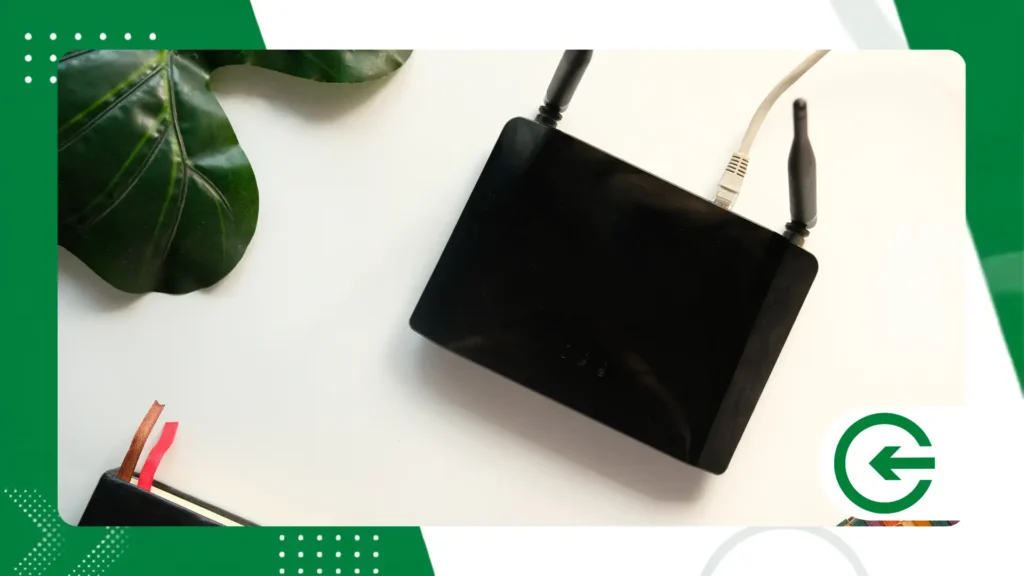
Constantly restarting the device to regain an internet signal is the first classic symptom of internal hardware degradation, processor overheating, or RAM depletion.
There's something frustrating about seeing the network crash the moment more than two devices try to transmit data without the support of modern features like MU-MIMO and Beamforming.
advertising
Limitations of Fast Ethernet (10/100 Mbps) physical ports prevent the use of contracted connections above one hundred megabits, turning expensive fiber plans into extremely slow connections for the user.
The prolonged absence of firmware updates turns the device into an open door on your network perimeter, facilitating silent intrusions and covert data capture.
What are the real benefits of replace the old router?
Achieving maximum broadband speed in any room is the most noticeable advantage within the first few minutes after proper installation and configuration of your new home device.
The substantial reduction in latency dramatically improves the experience for corporate video calls, high-definition live streaming, and competitive matches on online and cloud gaming platforms.
There is a false sense of security in older networks; protocols like WPA3 rewrite this dynamic by enforcing robust encryption against brutal attacks on domestic traffic.
Expanding the capacity for simultaneous connections allows dozens of devices to remain connected without loss of performance, thanks to the efficient packet packaging provided by smart antennas and modern processors.
To understand how these global hardware guidelines are standardized in the industry, it is worth analyzing the technical documentation maintained by Wi-Fi Alliance.
What is the difference between Wi-Fi 5, Wi-Fi 6 and Wi-Fi 7 standards?
The Wi-Fi 5 (802.11ac) standard revolutionized wireless transmission by popularizing the 5 GHz frequency; however, it has severe limitations in managing multiple devices connected simultaneously in the same environment.
With the arrival of Wi-Fi 6 (802.11ax), energy efficiency improved significantly, and OFDMA technology began dividing transmission channels to serve multiple devices simultaneously without creating queues.
The most recent evolution, Wi-Fi 7 (802.11be), introduced 320 MHz channels and multilink operation (MLO), allowing a single device to send and receive data on different frequencies simultaneously.
Betting on replace the old router A modern model prepares your home infrastructure to support new smart phones, laptops, and TVs launched with native support for these very high frequencies.
How do you choose the ideal model for the size of your home?
Many people are unaware that the physics of the local masonry dictates the actual signal range much more strongly than the sheer number of antennas on the chassis.
Single-story houses or small apartments up to sixty square meters are usually perfectly served by a single Dual Band router equipped with high-gain antennas and a dual-core processor.
Large environments or those with dense reinforced concrete barriers require modular solutions so that RF can bypass obstacles without the transfer rate dropping significantly along the way.
Always check for Gigabit Ethernet or Multi-Gigabit (2.5G) ports on the back panel of the device to ensure seamless integration with modern fiber modems and high-speed switches.
++ 7 advantages of having more storage space on your smartphone.
When is Mesh technology superior to traditional repeaters?
Conventional repeaters function like computational patches: they duplicate SSIDs and halve the bandwidth by attempting to listen to and retransmit packets on the same frequency.
Mesh network systems work with intelligently interconnected nodes, forming a single, uniform, and continuous coverage across the entire property without the need for manual reconnection between rooms.
Moving through the house while maintaining a voice call without noticing the access point transition is the game-changer for seamless switching via dynamic roaming.
Evaluating the cost-benefit ratio shows that replace the old router A two- or three-module Mesh kit definitively solves chronic dead zone problems in large square footage properties.
++ How fall prevention devices for seniors help families
Technical comparison of Wi-Fi standards and their capabilities.
Below, we present consolidated technical data for the main generations of wireless connectivity to help assess the technological leap available in the current market:
| Wi-Fi Standard | Frequencies Used | Maximum Theoretical Rate | Key Technologies |
| Wi-Fi 5 (802.11ac) | 5 GHz (2.4 GHz legacy) | Up to 3.5 Gbps | MU-MIMO (Downlink), Beamforming |
| Wi-Fi 6 (802.11ax) | 2.4 GHz and 5 GHz | Up to 9.6 Gbps | OFDMA, Bi-directional MU-MIMO, Target Wake Time |
| Wi-Fi 6E (802.11ax) | 2.4 GHz, 5 GHz and 6 GHz | Up to 9.6 Gbps | Clean 6 GHz spectrum, 160 MHz channels |
| Wi-Fi 7 (802.11be) | 2.4 GHz, 5 GHz and 6 GHz | Up to 46 Gbps | MLO (Multi-Link Operation), 4096-QAM, 320 MHz |
How can I tell if the problem is the router or the internet provider?
Isolating the true source of the fluctuation requires a simple and definitive test: connect a network cable directly from your computer to the main port of the modem provided by your internet service provider and run a speed test.
If the contracted speed is delivered perfectly over the cable, but drops off as soon as you switch to the wireless network, it's clear that the instability isn't coming from the external signal coming from the street.
The real bottleneck lies in your current router's inability to process, convert, and distribute radio waves with the frequency and range needed to cover your environments.
How to diagnose bottlenecks in your home network?

Identifying the exact point of wireless traffic bottleneck requires observing signal fluctuation throughout different rooms of the property.
When browsing works perfectly right next to the device, but experiences sudden performance drops a few meters away, the primary cause is rarely the broadband speed delivered by the provider.
The real obstacle lies in the limited penetration capacity of your current equipment's frequencies against the physical barriers of your home.
Performing speed measurements at different times helps to separate wireless channel congestion from structural hardware failures.
Neighboring networks operating on the same frequency channels cause severe interference in outdated devices that do not have automatic spectrum management.
This invisible saturation reduces the transfer rate and increases the response time of requests, generating the uncomfortable feeling of sluggish connections during peak residential usage.
Another clear indicator of physical limitations is the stark difference in performance between modern and older devices on the same network.
A recently installed smartphone connected to an older router cannot utilize its advanced antennas or optimized reception protocols.
The central unit acts as an invisible brake, leveling the performance of all connected devices downwards and wasting the technological potential of the more expensive electronics in your home.
++ How to use magnetic portable chargers in everyday urban life.
Conclusion
Accepting that a router that's years old continues to operate in the center of your home is like accepting to pay for broadband that never fully reaches you.
Investing in cutting-edge hardware restores browsing stability, eliminates blind spots, and ensures native support for new electronic devices acquired over the coming years.
Considering the dimensions of the property and the number of active devices will guide the perfect choice between advanced individual models or modern modular distributed mesh coverage systems.
Conscious decision-making in replace the old router This represents the ultimate turning point to transform your daily digital experience into something fluid, fast, and fully secure.
To delve deeper into the mathematical specifications of the physical layer and the fundamentals of telecommunications, search the publications in the repository. IEEE Xplore.
Frequently Asked Questions (FAQ)
How often should I replace my router?
The technical recommendation from experts is to replace the equipment every three or four years to keep up with the evolution of fiber speeds and ensure new digital security updates.
Does changing your router increase your contracted internet speed?
It doesn't increase the speed you've contracted with your provider, but it allows your devices to finally reach the actual speed you pay for on your bill without the losses caused by your old equipment.
What is Dual Band technology in modern routers?
This means the device operates on two distinct frequencies: 2.4 GHz, which offers greater range and penetrates walls, and 5 GHz, which provides very high speed for shorter distances.
Do mesh routers consume a lot of electricity on a daily basis?
No, modern modules have intelligent energy management and low power consumption, operating efficiently even when keeping multiple points active continuously throughout the house.
