
Why syncing your contacts with your Google account prevents future losses
Sync your contacts with your Google account
ADVERTISING
Have you ever felt that chill down your spine when you realized your smartphone was about to fail? Or, worse yet, that it was lost or stolen, taking with it years of important contacts?
Names, phone numbers, emails of friends, family, and business contacts—all disappeared in an instant.
This scenario, unfortunately, is more common than you might think. According to a Statista survey, more than 70 million smartphones are lost or stolen worldwide every year.
Most of these devices are never recovered, and with them, our contact network. But the good news is that this nightmare has a simple and effective solution: sync your contacts with your Google account.
advertising
By making syncing a habit, you not only protect your data, but also simplify your digital life.
Read on to find out why this is the smartest move you can make today.
Summary
- The Chronicle of Digital Disaster: A Personal Experience
- What Does It Actually Mean to Sync Your Contacts?
- Practice Makes Perfect: How Sync Works in Detail
- Advantages that Go Beyond the Obvious
- Robust Security and Universal Accessibility
- Organization and Cleaning: Say Goodbye to Duplicate Contacts
- A Gateway to Productivity: Integration with Other Google Services
- Apps and Tools that Make Synchronization Easier
- The Art of Recovery: What to Do If Your Contacts Disappear
- Conclusion: Peace of Mind Has a Name
- Frequently Asked Questions (FAQ)
The Chronicle of Digital Disaster: A Personal Experience
I clearly remember the day my smartphone fell to the floor and the screen shattered, rendering it completely inoperable.
At that moment, the first thing that came to my mind was not the cost of the repair, but the fact that I had lost the phone number of an important client.
I had just closed a big deal, and the next step was to call her. Without her number, I was at a dead end.
I was one of the many who underestimated the importance of a backup. I believed that "it only happens to other people."
I had to resort to emailing to apologize for the delay and asking for the number again, which, besides being embarrassing, made me lose the agility of the process.
This experience taught me a valuable lesson: the convenience of having all your contacts in the palm of your hand is inversely proportional to the disaster that losing them can cause.
And that's when I discovered the power of Google sync. From that day on, I never had to worry about what would happen if my phone failed.
See too: Best editing app for those who know nothing about photography?
What Does It Actually Mean to Sync Your Contacts?
Synchronization isn't just about "making a backup." It's a dynamic and ongoing process.
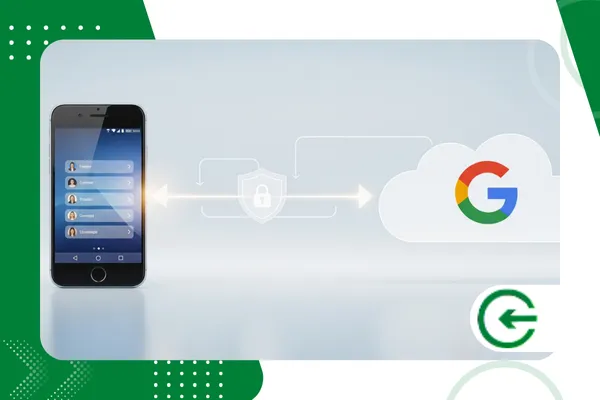
In essence, it means that your contacts, as they are created or edited on your smartphone, are automatically backed up to the cloud — in this case, to Google's servers.
And this sync works both ways. If you add a contact on your computer using Google Contacts, it will magically appear on your smartphone.
The beauty of this system lies in its nearly invisible nature. Once set up, it works silently in the background, ensuring your contact list is always up-to-date and secure, regardless of the device you're using.
This is the fundamental difference between a manual backup, which becomes obsolete as soon as you add a new contact, and automatic sync, which adapts in real time.
+ Benefits of subscribing to streaming services instead of pay TV
Practice Makes Perfect: How Sync Works in Detail
To understand the process, let's dive a little deeper. Most Android smartphones come with Google sync enabled by default.
When you add a new contact, the operating system stores it locally and then sends a request to the Google API to save it to your account.
The process is almost instantaneous, as long as you have an internet connection.
But what if you're offline? No problem. The contact is stored in your phone's internal memory, and as soon as you're connected to the internet again, it syncs.
This “wait and send” mechanism ensures that you don’t lose any data, even in areas without network coverage.
The same principle applies to edits and deletions. If you edit a phone number or delete a contact, those changes are replicated on Google's servers, keeping your contact list clean and up-to-date.
This is crucial to avoid inconsistencies and the digital clutter that many of us face.
+ Why using Google Photos is better than saving images to the regular gallery
Advantages that Go Beyond the Obvious
Loss protection is the main advantage, but there are a world of benefits that syncing with Google offers.
Robust Security and Universal Accessibility
Think of the Google cloud as a digital vault. Google invests billions of dollars in security to protect your data.
Contacts are encrypted in transit and at rest, meaning that even if someone intercepts your data traffic, they won't be able to decrypt it.
Plus, the accessibility is unmatched. If you lose your phone, all you have to do is log in to your Google account on a new device, and within minutes, all your contacts will be back.
There's no need to manually transfer files, connect cables, or use complex software. This is true digital freedom.
Organization and Cleaning: Say Goodbye to Duplicate Contacts
One of the biggest challenges in contact management is duplication. Who hasn't had two or three contacts for the same person, each with different information?
Syncing with Google, especially through the Google Contacts app, offers smart tools to solve this problem.
The system automatically identifies duplicate contacts and suggests merging them. You can review the suggestions and confirm the merger, resulting in a clean and organized contact list.
This not only saves time but also avoids the confusion of having outdated data.
A Gateway to Productivity: Integration with Other Google Services
Sync is the gateway to a smarter digital ecosystem. Your contacts synced with Google aren't isolated; they integrate seamlessly with other Google services.
For example, when using the Google Calendar, you can invite contacts to events with just one tap.
Node Gmail, email autocomplete suggests recipients based on your contacts. And, in Google Meet, starting a video call with one of your contacts is a smooth process.
This integration creates a synergy that boosts your productivity. There's no need to switch between apps or re-enter the same information repeatedly.
Apps and Tools that Make Synchronization Easier

While most Android phones already come with native syncing, there are apps that can help you manage your contacts even more efficiently, especially for iOS users or those looking for more features.
- Google Contacts: This is the official Google app and the backbone of the entire system. Available for Android and iOS, it offers the best experience for viewing, editing, and organizing your contacts. It has a clean and intuitive interface, and it's where you can use the "merge and fix" function to eliminate duplicates. The great advantage is that it's fully integrated with the Google ecosystem, and any changes you make in the app are automatically reflected across all your devices.
- Sync.ME: A robust option for those who want to go beyond simple synchronization. Sync.ME lets you sync your contacts' profile pictures directly from your social networks, such as Facebook and LinkedIn. This adds a visual touch to your contact list. It also offers caller ID, showing who's calling, even if they're not in your contact list.
- Contacts Sync: This is a simple yet effective app, especially for iPhone users who want an easy way to sync Google contacts with iCloud. The interface is straightforward, and its main function is to ensure bidirectional syncing, keeping both databases up to date.
These apps, each with their own unique features, demonstrate the flexibility of the Google ecosystem and the ability to customize them to your needs.
They are further proof that synchronization is not just a task, but a strategy for a more organized digital life.
The Art of Recovery: What to Do If Your Contacts Disappear
Even with sync enabled, errors can occur. Maybe you deleted a contact by mistake.
Don't panic! Recovery is one of the great advantages of having your contacts in the cloud.
Google Contacts has an "undo changes" feature. You can revert your contact list to a previous state, whether it was 10 minutes ago, 1 hour ago, 1 day ago, or even 30 days ago.
This is a safety net that most manual backups don't offer.
To use the tool, simply access Google Contacts through your browser, go to “Settings” and select the “Undo changes” option.
It's a life-saving feature that demonstrates the level of care Google takes with the security of your data.
Conclusion
In a world where our smartphones are extensions of ourselves, losing contacts is more than an inconvenience; it's a rupture in our social and professional networks.
Sync your contacts with your Google account It's more than a security measure, it's an act of digital self-preservation.
This simple, automatic practice eliminates the risk of losing crucial data, eases the transition between devices, and seamlessly integrates your digital life.
It's a small action with a huge impact, ensuring that the next time you need someone's contact information, they'll be right where you expect them to be.
Think of it as insurance against the unexpected, ensuring your peace of mind and productivity in your daily life.
Frequently Asked Questions (FAQ)
1. Is syncing my contacts with Google safe?
Yes. Google uses cutting-edge encryption to protect your data, both in transit and at rest on our servers. Additionally, you can use two-factor authentication to add an extra layer of security to your account.
2. What happens if I don't have internet access?
Syncing is paused until you reconnect to the internet. Any changes made offline are saved locally and automatically synced once the connection is reestablished.
3. Can I sync contacts from an iPhone to Google?
Yes, it's perfectly possible. You can add your Google account in your iOS settings and enable contact syncing.
4. Are synchronization and backup the same thing?
No. Backup is a static point-in-time copy, while sync is a dynamic, ongoing process that keeps your data up-to-date across all your devices in real time.
5. If I delete a contact on my phone, will it be deleted from my Google account?
Yes, syncing is two-way. Changes made on one device are replicated across all your devices, including your Google cloud account.
