
How to scan business cards using apps
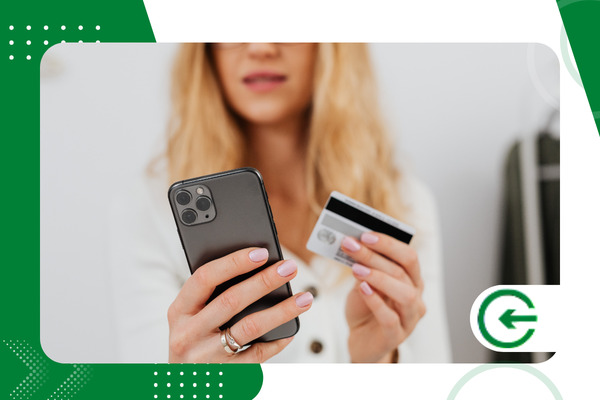
Scanning business cards It has become an essential skill for professionals seeking agility and organization in 2026, eliminating the accumulation of unnecessary paperwork and optimizing the strategic management of new business contacts.
Adverts
We live in an era where the integration between the physical and the digital defines the success of networking, requiring tools that guarantee absolute precision in capturing and storing crucial data.
In this comprehensive guide, we will explore best practices and technologies for transforming small pieces of paper into valuable connections within your digital ecosystem, using high-performance software and artificial intelligence.
Summary
- Why abandon physical cards in 2026?
- What are the best apps for scanning business cards?
- How can we ensure maximum accuracy in data capture?
- Where should the extracted data be securely stored?
- Comparison of market-leading tools
- FAQ – Frequently Asked Questions
Why abandon the accumulation of physical cards in 2026?
Sustainability and operational efficiency have ceased to be differentiating factors and have become basic requirements in the modern corporate environment, driving the search for solutions that automate the manual entry of information.
Keeping drawers full of paper makes it difficult to quickly locate a supplier or partner, and also represents a real risk of losing valuable data due to physical damage or accidental misplacement.
advertising
When deciding scan business cardsBy doing this, you ensure that every phone number, email address, and job title is indexed instantly, allowing keyword searches in seconds via your smartphone.
Direct integration with CRM (Customer Relationship Management) systems allows sales tracking to begin at the exact moment of the handshake, accelerating the business closing cycle.
Modern software utilizes state-of-the-art OCR (Optical Character Recognition) technologies that interpret different fonts and layouts with a near-zero error rate, even on artistic business cards.
What are the best apps for scanning business cards?
Currently, the market offers robust options that go beyond simple photography, transforming the image into editable text that can be exported to various productivity and contact management platforms.
O CamCard It remains a global benchmark, offering reading in multiple languages and cloud synchronization, making it ideal for executives who move between different markets and large international events.
For users integrated into the Microsoft ecosystem, the Microsoft Lens It stands out for its native integration with OneNote and Outlook, facilitating the workflow of those who already use Office 365 tools.
Already the Adobe Scan It utilizes the powerful Adobe Sensei artificial intelligence to automatically detect edges, remove shadows, and adjust perspective, resulting in visually stunning PDFs for professional archiving.
Another valuable option is the Evernotewhich has a specific function for cards, allowing you to add contextual notes about the conversation you had with the person, which significantly enriches your database.
How can we ensure maximum accuracy in data capture?
The quality of the initial image is the determining factor for the recognition algorithm to be able to extract the information correctly without the need for exhaustive manual corrections after the reading process.
Place the card on a flat, contrasting surface, preferably dark, so that the edges are clearly detected by the camera sensor of your chosen mobile device.
Natural lighting is always the best ally, but if you are indoors, avoid using a direct flash, as the reflection on laminated or metallic papers can blind the sensor.
Keep your hand steady or rest your elbows on a table to avoid motion blur, ensuring all text is in focus and legible before confirming the capture in the app.
Many modern tools offer a "batch capture" function, allowing you to process dozens of business cards sequentially and extremely quickly after a networking event, saving valuable time.
+ The invisible cost of poor technological choices in everyday life.
Where should the extracted data be securely stored?
Centralizing information in a single repository is essential to avoid knowledge fragmentation within a sales team or in your own personal file of professional contacts.
The cloud is the preferred destination because it allows cross-platform access, ensuring you have customer contact information on both your mobile phone and computer, regardless of where you are currently working.
Synchronizing your data with Google Contacts or iCloud ensures that, even if you lose your physical device, your contact network remains intact and protected by layers of biometric security.
For sales professionals, direct export to the Salesforce or HubSpot This is the ideal approach, transforming the card into a qualified "lead" within the organization's sales funnel.
The process of scan business cards You must always respect the LGPD (General Data Protection Law), ensuring that the information collected is used only for legitimate and authorized professional purposes.
+ How to use apps to monitor public transportation in real time.
Comparison of market-leading tools
Below, we present a technical analysis of the functionalities present in the main software available for professionals seeking excellence in managing their contacts and physical-digital networking.
| Application | Main Advantage | CRM Integration | Excel Export | OCR Technology |
| CamCard | Multi-language Recognition | Yes (Premium) | Yes | High Precision |
| Microsoft Lens | Office 365 Ecosystem | Yes (Dynamics) | Yes | Native MS |
| Adobe Scan | Image Quality | Partial | No | Adobe Sensei |
| Evernote | Contextualization | No | Yes | Regular |
| ABBYY Reader | Technical Precision | Yes | Yes | Professional |
What is the impact of artificial intelligence on this process?
By 2026, generative and predictive AI will have transformed how applications interpret contextual information, going beyond simply reading letters and numbers to understanding the hierarchy of the information presented.
Today, to scan business cardsThe software is able to automatically identify the company logo and search for updated profiles on LinkedIn, filling in gaps that the physical business card does not have.
These intelligent systems can correct common typing errors found on business cards and suggest job title updates if the person has been promoted since the last time they had physical contact information.
Advanced automation even allows for the automatic sending of a "nice to meet you" email as soon as the card is processed, maintaining engagement with the new contact immediately.
This technological proactivity drastically reduces administrative work and allows the professional to remain focused on interpersonal relationships, which is the true value behind any exchange of business cards.
+ Small technological adjustments that increase the lifespan of your devices.
Conclusion
The transition to digital contact management is an irreversible step for those who wish to maintain relevance and organization in an increasingly dynamic and technological market.
By choosing the right tool and applying the aforementioned capture techniques, you transform an analog habit into a powerful digital asset, ready to be leveraged in your business strategies.
Remember that technology is meant to enhance human relationships; therefore, use this data to create real, personalized, and lasting connections with all the professionals you encounter on your career path.
To deepen your understanding of how technology can transform your daily life, visit the official website of [website name/company name]. Brazilian Association of Software Companies (ABES), a benchmark in technological innovation in Brazil.
FAQ – Frequently Asked Questions
Is it safe to use free apps to scan my contacts?
Most reputable apps offer robust security, but it's vital to read the privacy terms to understand how data is processed and whether end-to-end encryption is in place.
What's the best format for saving scanned business cards?
The VCF (vCard) format is the universal standard for contact information, allowing import into almost all systems, while PDF is ideal for maintaining the visual integrity of the original card.
Can I scan business cards without downloading new apps?
Yes, iOS and Android devices have native functions in their cameras and note-taking apps that allow you to scan documents, although they don't have the same dedicated data extraction intelligence.
How do you organize thousands of already scanned business cards?
Use tags by event, sector, or year of meeting within your chosen app, making it easy to quickly filter when you need to find someone specific after a long time.
Does OCR work with handwritten letters on cards?
Although technology has evolved significantly, handwritten notes still present readability challenges; ideally, any handwritten notes should be manually reviewed and edited after the card has been scanned.
