
How to edit RAW photos on your phone for higher quality
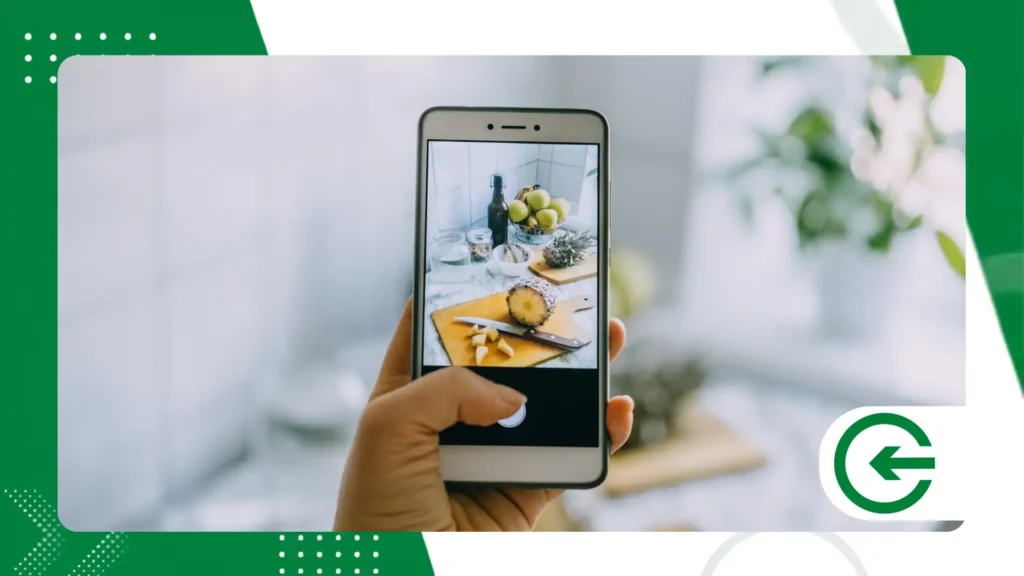
Mastering the editing of RAW photos on mobile phone It completely transforms the outcome of your everyday images.
ADVERTISING
This practical guide will teach you how to extract maximum color fidelity and sharpness directly from your mobile device screen.
Learn today how to configure your device, choose the best apps on the market, and apply professional treatment techniques.
We'll cover everything from noise control to fine-tuning white balance for beginners.
Easily navigate our content using the main topics listed below:
advertising
- What is the raw format and what are its real advantages?
- Essential applications for image processing.
- Step-by-step guide to an optimized workflow.
- Comparative table and answers to frequently asked questions.
What are RAW photos on a cell phone and why always use them?
Shooting in this format means capturing the image without any prior processing or destructive compression from the native software.
The file stores all the light data recorded by the device's sensor in its pure form.
There's something fascinating here: this lack of compression guarantees unparalleled flexibility when correcting exposure or shadow errors.
You can recover details that would seem completely lost in a conventional JPEG file.
Working with RAW photos on mobile phone It offers real control over tones, allowing for precise corrections without loss of sharpness.
Manual editing perfectly replaces the aggressive and artificial filters automatically applied by current smartphones.
The richness of colors preserved in the raw file prevents the appearance of those unwanted digital textures that often spoil the sky.
Smooth gradient transitions take on a much more natural and professional look after proper treatment.
Which apps process RAW photos on mobile phones most efficiently?
Adobe Lightroom Mobile leads the market by offering a processing engine identical to that of computers.
It manages color profiles with extreme accuracy, ideal for complex lighting edits.
Another fantastic and completely free option is Snapseed, developed by Google to democratize advanced editing.
It opens native DNG files and provides robust selective correction tools for users.
If you're looking for a unique professional alternative for iOS, the Halide app stands out in today's market.
For Android users, the native camera app often already offers Pro mode with built-in support.
Enable this feature in your system settings to save your files with the DNG extension.
How do I configure my smartphone to capture images in RAW format?
Open your device's default camera app and look for the advanced image settings menu.
Enable the dual save option, which generates a JPEG file and a DNG file simultaneously.
Premium devices like the iPhone Pro line offer the Apple ProRAW format directly in the main capture menu.
This technology combines the benefits of RAW with the brand's own multi-frame computational processing.
Samsung Galaxy devices feature the Expert RAW app, available in the manufacturer's official store. It expands the ability to record... RAW photos on mobile phone with a very wide dynamic range.
Always ensure your device's internal storage has ample free space before you start taking photos.
These raw files take up to five times more memory than regular compressed photos.
What are the step-by-step instructions for perfectly editing RAW photos on your phone?
Adjusting the initial exposure and contrast
Begin the process by adjusting the overall exposure to balance the basic brightness of the scene being photographed.
Use the highlights control to reduce excessive brightness in the brighter areas of your image.
Gently open up the shadows to reveal the hidden details in the dark areas of the processed image.
Contrast adjustments should be applied sparingly to maintain the naturalness of the midtones.
Correcting white balance accurately.
The biggest advantage of editing RAW photos on mobile phone It lies in the alteration of the white balance without degradation.
Adjust the temperature to eliminate yellowish or bluish color casts in the scene.
Adjust the hue to calibrate the shades of green and magenta, ensuring perfect skin tones.
This complete flexibility transforms photos taken under artificial light into images with very realistic colors.
++ How to apply professional color grading to your cell phone easily.
Applying sharpness and reducing digital noise.
Increase the sharpness cautiously to highlight important textures such as leaves, stones, or fine fabrics.
Always use the mask tool to apply the effect only to the edges of objects.
Reduce luminance noise if the capture was performed in low-light environments.
This care prevents the final image from displaying that grainy appearance that detracts from the visual aesthetic.
++ How to create a neon light effect in photos using free apps.
Performance comparison between mobile image formats
Below, we present a technical analysis based on the capture specifications of modern mobile sensors.
Understand how each format behaves during the editing process on your smartphone.
| Technical Characteristic | RAW (DNG) format | Standard JPEG format |
| Color Depth | Up to 16 bits per channel | Only 8 bits per channel |
| Compression Level | No or no losses | High destructive compression |
| Recovery Margin | Extremely high in the shadows | Very limited and noisy |
| Average File Size | 25 MB to 40 MB | 3 MB to 7 MB |
| Original Clarity | Fully customizable | Applied by software |
Where can I find inspiration and technical references for photography?
Studying the work of renowned photographers helps to understand how light behaves in different environments.
Analyze the visual identity of creators who use mobile devices as their primary work tool.
The platform Adobe Lightroom Discover It offers interactive tutorials and real-world workflows shared by professionals from around the world.
You can see the exact processing steps applied to raw files.
Practice editing daily by testing different color palettes and light intensities in your compositions.
Consistency in training develops the critical eye needed to identify small, unwanted color variations.
Notice how major technology brands promote their advertising campaigns using images taken with smartphones.
The secret to commercial success lies in careful post-production of RAW photos on mobile phone.
++ How to create 2026 World Cup memes on your phone.
What are the most common mistakes you should avoid when editing on mobile?
Oversaturating colors is the most frequent mistake among beginner photographers in the mobile world.
Excessively vibrant colors destroy the sense of depth and make the image visually tiring and artificial.
Ignoring the histogram during treatment can cause you to miss valuable information in the highlights.
Monitor the graph on the screen to ensure that no important details are completely removed from the file.
Another common misconception when processing RAW photos on mobile phone It's applying excessive sharpness across the entire area.
This creates white halos around the silhouettes, a clear sign of amateurish and careless post-production.
Avoid editing your photos with your smartphone screen brightness set to automatic or very low. Adjust the screen brightness to a medium and constant level to avoid color distortion.
Conclusion
Mastering raw file processing in the palm of your hand elevates the level of your visual production.
Investing time in learning these techniques guarantees unique images that stand out on social media.
Take advantage of the flexibility of the DNG format to imprint your artistic identity on every click you make in your daily life.
Complete control over light and color now belongs entirely to you.
To deepen your practical knowledge of digital photography and professional equipment, visit the technical portal. DPReviewA global authority on the subject. Start transforming your simple records into works of art today.
Frequently Asked Questions (FAQ)
Does RAW format make the photo look better right after it's taken?
No, the raw image usually looks washed out and lacks contrast right after the initial capture. It absolutely requires post-production to reveal its full potential of colors and hidden details.
Can any smartphone take photos in this professional format?
Most recently released mid-range and premium devices have native support for DNG files. Check the manual or professional mode within your specific device's camera app.
Is it worth shooting all photos in RAW format on your phone?
We recommend using the RAW format for complex lighting scenes or important landscapes. Casual, everyday photos can be taken in JPEG to save internal storage space.
How do I share these large files on social media?
You should export the finished image in JPEG format directly from your chosen editing application.
This export reduces the file size while preserving all the visual modifications you made.
