
Online privacy: Settings you should review today
Your guarantee online privacy It rarely stems from using expensive antivirus software or creating elaborate passwords; it begins with the silent act of unchecking boxes that we accept without reading.
ADVERTISING
Without us realizing it, the devices in our pockets have become corporate sentinels. They collect footsteps, intercept audio fragments, and map moods to feed ecosystems of ads and artificial intelligence models that treat our routines as cheap input.
There's something unsettling about how we've become accustomed to this passive surveillance. Taking back the reins, however, doesn't require a computer science degree: this guide clarifies the digital keys you need to turn to close the main loopholes in your daily life.
Summary
- Why is reviewing your settings crucial for your online privacy?
- What privacy settings should you change on your smartphone?
- How can I limit tracking and data collection in browsers?
- What security settings protect your social media accounts?
- How can you prevent virtual assistants and AIs from recording your routine?
- Comparison: Standard data collection versus protected profile
- Conclusion
- Frequently Asked Questions (FAQ)
Why is reviewing your settings crucial for your online privacy?
There is a perverse logic in the architecture of modern systems: intrusion is almost never an accident; it is the business model itself.
Devices come out of the box designed to drain as much data as possible, relying on our tiredness or our haste to click "Accept All".
advertising
These default options weave a meticulous digital replica of your life. They map the times you wake up, your commute to work, your purchasing power, and even the emotional vulnerabilities that lead you to make impulse purchases in the middle of the night.
Audit your online privacy It goes far beyond preventing bank leaks. It's about building a barrier against aggressive behavioral profiling that transforms personal choices into commodities traded in millisecond auctions.
The technology market often calls this surveillance a "personalized experience." It's an unequal exchange, where we give up intimacy in exchange for small conveniences that we barely notice.
Spending ten minutes adjusting these settings restores the fundamental right to navigate the internet without leaving behind an invisible trail of digital crumbs.
What privacy settings should you change on your smartphone?
Android and iOS hide uncomfortable truths beneath bureaucratic menus. The first mandatory stop is the location panel: no flashlight app or social network needs to know the exact coordinates of your couch twenty-four hours a day.
Limit GPS access strictly to the time the app is open on the screen. And, if the service doesn't require surgical precision, provide only the approximate location.
Pay attention to microphone and camera permissions. Delivery apps and casual games often leave ports open for audio and video recording without any coherent technical justification.
Another common blind spot is tracking via short-range connections. Disable continuous scanning of Wi-Fi and Bluetooth networks, a trick often used by brick-and-mortar retailers to track the time you spend in front of each shelf in the mall.
Go to the ad settings and reset or block your advertising ID. This unique code works like a license plate attached to your device, linking everything you do into a single file.
Thoroughly examine access points to internal storage. A text-to-speech utility has absolutely no reason to rummage through your family photo album.
Also turn off the automatic sending of diagnostic and telemetry reports. Manufacturers claim system improvements, but the package often carries a wealth of metadata about your daily behavior.
Cutting those umbilical cords in the background is the quickest way to return the smartphone to its original function: serving you, not advertisers.
Secure your online privacy It demands precisely this healthy distrust of what goes on in secret.
How can I limit tracking and data collection in browsers?
The browser is the window through which we view the internet, but it's also the microscope through which adtech networks observe every hesitation of our cursor.
Activate strict tracking protection in your browser and block third-party cookies altogether — those virtual ticks that follow your browsing from one website to another.
Configure the program to automatically clear your history and cache when you close the window. When the browser saves everything, anyone with temporary access to your computer gets a snapshot of your recent activities.
Access your main account and visit the Google Safety Center to pause web activity tracking and location history, preventing routine searches from feeding the corporate profiling machine.
Disable autofill for credit cards and personal documents. The convenience of one-click purchasing rarely outweighs the risk of having your financial data stored in exposed cloud storage.
The same rule applies to passwords saved natively in the browser: replace this feature with a dedicated password manager and enable two-factor authentication via an authenticator app.
Clean up your installed extensions. That old tool for downloading videos or customizing fonts may have been sold to an analytics company and be operating as a silent spy in your taskbar.
These restrictions reduce your "browser fingerprinting," making it much harder for trackers to identify who is behind the screen.
What security settings protect your social media accounts?
Social platforms are designed like relationship vacuum cleaners. They cross-reference contact lists, locations, and tagged photos to draw social webs you didn't even know existed.
Close the public window: change the visibility of your profile and posts so that only manually approved people have access to what you share.
Prevent external search engines from indexing your profile page. There's no reason why a search for your name should lead directly to your vacation album or personal comments.
Turn off any automated facial recognition features. Allowing platforms to catalog your facial biometrics is tantamount to handing over an immutable biological signature to private databases.
Go to the connected apps tab and do a thorough cleanup. All those fun quizzes from years ago or registrations made via "Sign in with Facebook" are still sucking up your data in the background.
Hide your list of friends and followers. This seemingly harmless information is easy prey for scammers to use to clone profiles and perpetrate social engineering fraud against your family.
Disable contact synchronization in your phone's address book. Otherwise, the network will continue to track who you know in the physical world to create forced connections and intrusive suggestions.
Reviewing this web of permissions is an ongoing exercise; networks love to redefine terms of use from time to time to test the limits of their... online privacy.
How can you prevent virtual assistants and AIs from recording your routine?
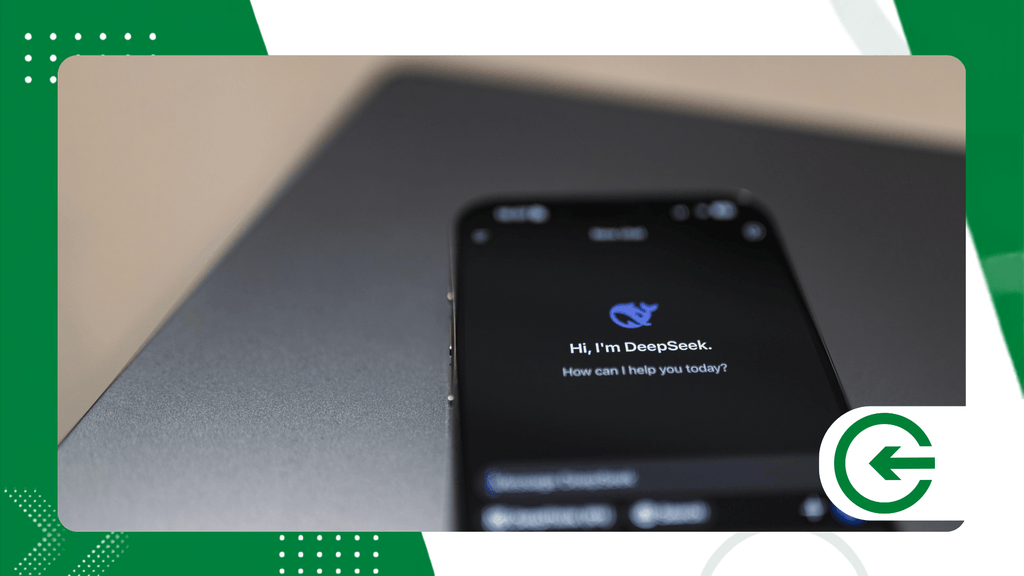
Smart speakers and assistants integrated into operating systems are not just household appliances; they are corporate microphones installed in the heart of your home.
Go into the control panels of your voice assistants and turn off the storage of recordings. What you talk about in the living room shouldn't become a file stored on remote servers.
Revoke permission for humans to review your audio clips. The promise of "improving service quality" often means third parties listening to fragments of your private life.
If you use artificial intelligence chatbots at work or in your studies, look in the settings for the option that prevents your conversations from being used to train new language models.
Turn off passive listening on Smart TVs. Modern screens capture audio and use automatic content recognition to know exactly what you're watching in real time.
Lock the door to your home network by changing the default factory password on your Wi-Fi router, a vulnerable point that is often ignored until an intruder intercepts your home's traffic.
Isolate your automation devices — such as smart lights and outlets — on a guest Wi-Fi network, creating a digital quarantine away from your work computer and cell phone.
Peace of mind at home depends on establishing clear boundaries about how much technology can listen to, watch, and process in your family's daily routine.
++ How augmented reality technologies can improve remote work.
The table below starkly illustrates the gap between the default behavior of devices and the level of protection achieved after small, deliberate adjustments.
++ How to choose a Wi-Fi 7 router for a connected home today
| System Functionality | Factory Default Configuration | Recommended Protected Configuration | Impact on Privacy |
| Location History | Continuous and accurate GPS tracking | Access only during use and approximate location. | It prevents the mapping of your daily routine. |
| Microphone and Camera | Permanent permission for multiple apps | Individual permission granted upon request. | Blocks unauthorized listening and recording. |
| Cookies and Trackers | Release for advertising partners | Blocking third-party cookies and scripts | Reduces targeted sales profiling. |
| AI-powered Voice Recording | Storage and human analysis of audio files. | History disabled and automatic deletion | It preserves the privacy of conversations in the home environment. |
| Social Profile Indexing | Public profile visible in search engines. | Private and invisible profile outside the platform. | Protects against social engineering scams. |
Where should you begin adjusting permissions in your daily routine?
The most efficient strategy for regaining digital control without becoming overwhelmed is to prioritize the devices that track your every move.
Begin by auditing the access granted to frequently used applications, critically evaluating whether each hardware authorization is truly justified for the delivery of the contracted service.
By making this periodic verification a natural habit in your tech routine, you establish a solid preventative barrier against the excessive collection of sensitive data.
The biggest obstacle on this journey is often the inertia caused by interfaces designed to hide essential controls in confusing submenus.
Developers use behavioral patterns known as "dark patterns" to induce choices that favor data retention, causing the average user to give up halfway through.
Mapping these shortcuts and understanding which keys really matter makes the process quick and immune to visual manipulation.
Another key point is to extend this critical discipline to cloud-based services and the accounts that centralize your daily access.
When you unify logins and allow unlimited integration between different platforms, a single vulnerable point can expose years of personal and professional records. Separating credentials, revoking old connections, and limiting the automatic sharing of information creates security compartments that reduce the impact of potential cyber incidents.
++ Fiber optic internet for homes: advantages and precautions
Conclusion
Auditing devices and digital accounts is not an act of paranoia, but of legitimate self-defense in an ecosystem that has learned to monetize every second of our attention.
By reconfiguring these panels and limiting the excesses of large platforms, you regain control over your own. online privacy and closes the door to financial fraud and identity theft.
None of these steps require advanced knowledge or hours of dedication; it's simply a matter of taking an active stance towards devices that were designed to operate on autopilot.
Make it a habit to set a reminder in your calendar every three or four months to revalidate access and check if new system updates have reactivated unwanted permissions.
Remembering that digital space is an extension of our physical life is the first step towards demanding respect for our sensitive data — a guarantee protected by official guidelines that you can follow on the portal of National Data Protection Authority (ANPD).
Frequently Asked Questions (FAQ)
How often should I review my privacy settings?
Ideally, you should perform this check every three months, in addition to taking a quick look whenever your phone receives a major operating system update.
Does disabling location services affect the functioning of ride-hailing apps?
Absolutely not. The app continues to function perfectly if you allow GPS access only during use and while the map is active on the screen.
Does using your browser's incognito mode guarantee complete online privacy?
Don't be fooled: incognito mode only prevents your browsing history from being saved on your own computer. Your internet provider and the websites you visit will still be able to see your IP address.
Why do apps request so many unnecessary permissions?
Data is money. The more permissions an app accumulates, the more complete the behavioral profile becomes, which developers can then negotiate with advertising networks and data brokers.
Is it possible to delete data that companies have already collected in the past?
Yes. Brazilian law guarantees the right to demand the permanent deletion of your personal records through the privacy channels maintained by the platforms themselves.
