
How to use calendar apps that sync across devices
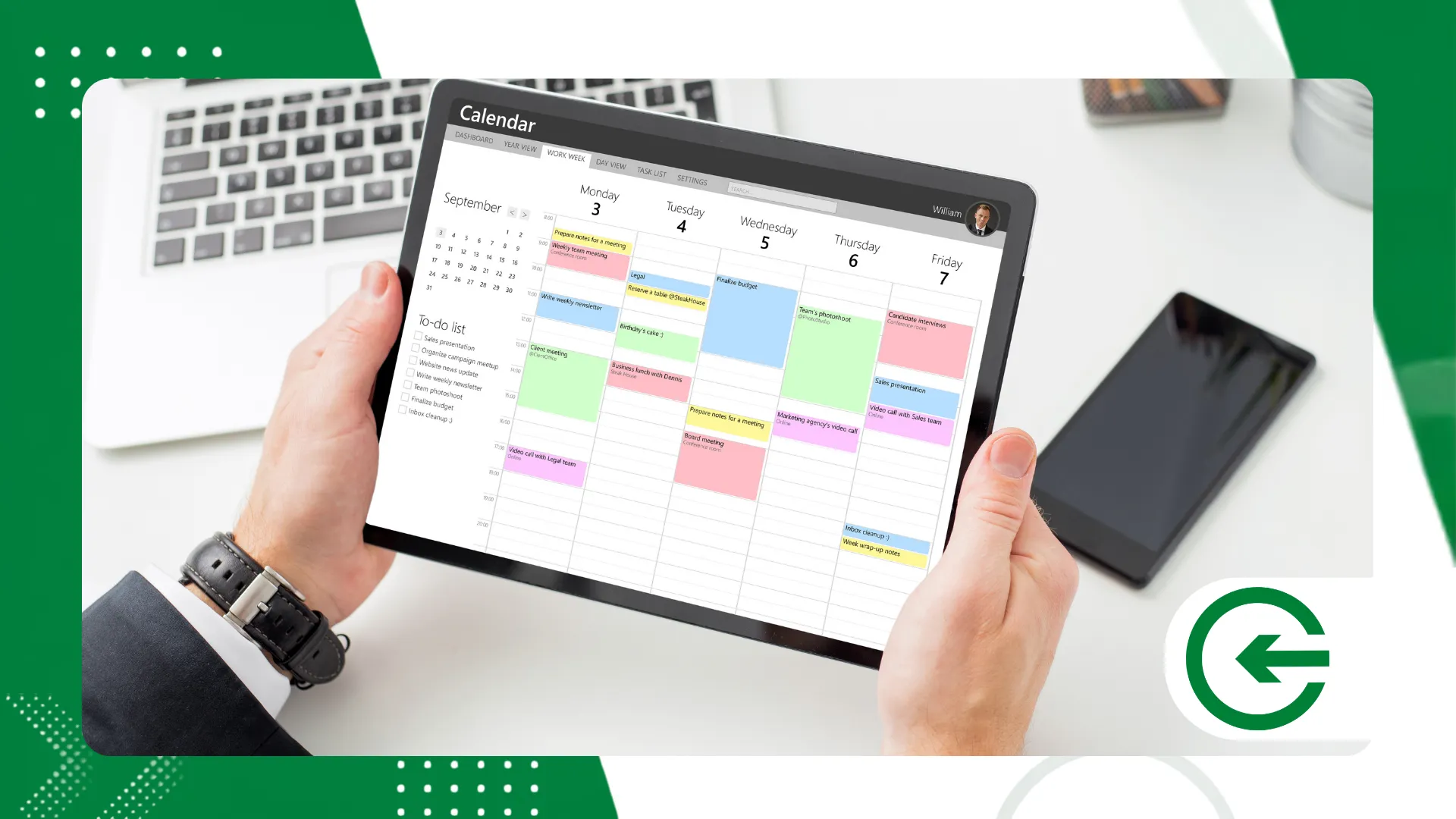
You synchronized calendar applications They have transformed modern time management by integrating real-time appointments between smartphones, tablets, and computers in an automated way.
ADVERTISING
Living a life constantly chasing your own time demands tools that eliminate the risk of double shifts. Centralizing data isn't a luxury, it's essential for your productivity.
In this practical guide, you will learn how to configure these tools, resolve real synchronization bottlenecks, and protect your routine against failures. No more missing deadlines due to silly mistakes.
Guide Summary
- The invisible gears of the multiplatform routine
- The tools map: which ecosystem to choose?
- Let's get to work: setting up communication between screens.
- When technology fails: fixing bugs and delays
- Frequently Asked Questions (FAQ)
How do I integrate to-do lists into my calendar?
Unifying your daily tasks with available time blocks avoids that feeling of unrealistic optimism about time.
You synchronized calendar applications More modern models allow you to drag notes directly into empty spaces in your day, transforming mere intentions into appointments with set times.
advertising
What is the impact of time zones on travel?
Forgetting to set up automatic region adjustment can ruin the planning of an important business trip.
Make sure the platform is set to update the clock based on the device's GPS signal, keeping your alerts at the correct local times.
The invisible gears of the multiplatform routine
Working in a fragmented way generates silent mental fatigue and costly forgetfulness. That old story of jotting something down on your phone and forgetting to look at your laptop is the first step towards chaos.
The cloud acts as a safety net against the obsolescence or loss of your physical devices. If your cell phone breaks now, your entire work week remains intact and accessible.
A simple glance at the timeline resolves meeting conflicts in seconds.
This technical bridge between Android, iOS, Windows, and macOS has finally ceased to be a bureaucratic headache. The systems communicate with each other almost seamlessly, respecting the fast pace of our daily lives.
++ App security: How to identify trustworthy apps before installing
The tools map: which ecosystem to choose?
The current market offers very different paths for profiles that prioritize privacy, strong collaboration, or closed ecosystems.
Google, Microsoft, and Apple have designed solutions that shape the way we work.
Google Calendar is a true digital chameleon, shining through the ease with which it connects to any external link or invitation.
It runs smoothly in the browser or in your pocket, without requiring complex configurations.
Microsoft Outlook, on the other hand, masterfully manages robust corporate ecosystems. Some find its interface too dense, but its ability to unify emails and manage demanding tasks is undeniable.
The table below breaks down the main... synchronized calendar applicationsThis shows that the choice goes far beyond a pretty interface—it involves pure infrastructure and direct connectivity.
++ Translation apps with camera that work even offline.
| Application | Main Protocol | Native Compatibility | Featured Resource |
| Google Calendar | CalDAV / Proprietary API | Android, iOS, Web, Windows | Scheduling via public links |
| Microsoft Outlook | Exchange ActiveSync | Windows, macOS, Android, iOS | Deep email integration |
| Apple Calendar | CalDAV | iOS, macOS, iPadOS, Web | Apple ecosystem integration |
| Proton Calendar | End-to-End Cryptography | Web, Android, iOS | Total focus on privacy and security. |
Let's get to work: setting up communication between screens.
The starting point is choosing a safe haven to anchor your data. Centralizing everything in a main Google or Microsoft account often saves a lot of future headaches.
On your smartphone, go directly to the system's account menu and log in to your chosen provider. The key here is to ensure that the "Calendars" box is checked to synchronize.
To understand the technical workings of how these platforms communicate with each other without losing data along the way, it's worth analyzing the... official Google Calendar support page, a clear reference in the sector.
Those who live within the Apple ecosystem need to let iCloud do the heavy lifting of screen mirroring. This mechanism ensures that appointments appear on your watch and laptop almost instantly.
On Windows, the native calendar application handles connecting to external accounts in three or four quick clicks. Enter your credentials and change the update time to the fastest available mode.
You synchronized calendar applications They die from lack of energy if you clip their wings. Cutting background data usage to save battery is the most common mistake that breaks this flow.
When technology fails: fixing bugs and delays
Events appearing twice on the screen are usually the result of a classic trap: signing up for the same iCal link on two different accounts. The app simply obeys the double command you gave.
Annoying delays in displaying a last-minute appointment usually have a single culprit: the aggressive power saving mode. It freezes background apps to conserve the device's battery.
Clearing an app's cache is the digital equivalent of washing your face first thing in the morning. This process deletes corrupted temporary files and forces a clean re-reading of your timeline.
If the error stubbornly persists, log out of your account and try the login process again from scratch. This simple action rebuilds the connection with the server and usually eliminates old bugs.
The technical stability of synchronized calendar applications It requires that the device's operating system is not outdated. Old software simply cannot keep up with the new security standards of cloud platforms.
Conclusion
Organizing your digital life requires fewer complex tools and more consistency in configuring what you already have. The secret is to make the systems work for you, not the other way around.
Keeping your devices in perfect sync prevents unnecessary stress and protects your focus throughout the day. Take ten minutes today to review your accounts and automate what you can.
If you want to explore the human dynamics behind time management and professional performance, the portal of Harvard Business Review It provides in-depth analysis of behavior and productivity.
Frequently Asked Questions (FAQ)
Can I sync Google Calendar with Apple Calendar?
Perfect. Add your Google account in the account settings menu on your iPhone or Mac and enable the device's calendar sync switch.
What happens to my calendar if I lose internet access?
You continue browsing and creating appointments as normal. As soon as the device finds an available network, it downloads the news to the cloud and updates the rest.
How can I share my synchronized calendar with other people?
Open the platform in your browser, access the settings for the desired calendar, and add your colleague's email address, specifying whether they can only view or also edit.
