
How to create a neon light effect in photos using free apps.
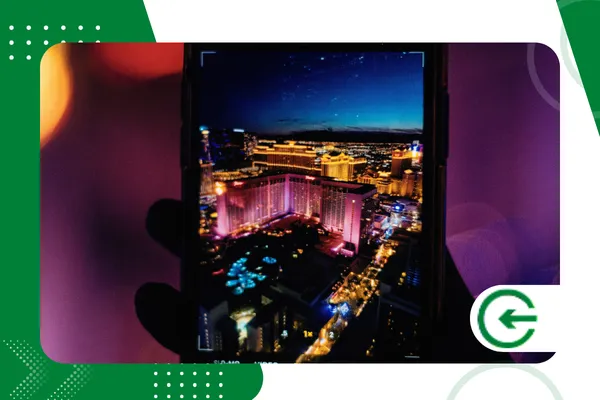
The use of neon light effect in photos It transformed urban aesthetics on social media, converting simple images into vibrant, modern, and magnetic compositions.
ADVERTISING
This visual trend evokes the atmosphere of Techwear and Cyberpunk, styles that currently dominate Instagram and TikTok feeds.
To achieve this result without complex software, mobile applications use advanced artificial intelligence to map the depth of portraits with extreme precision.
In this comprehensive guide, you will learn practical techniques to master digital lighting using free and accessible tools on your mobile phone.
We'll explore everything from preparing the original image to fine-tuning blending, opacity, and color saturation adjustments.
advertising
Below, you can find the main topics covered in this article to facilitate your navigation and quick learning.
- The best free apps for neon editing.
- Step-by-step instructions for applying the effect realistically.
- How to adjust color channels and lighting curves.
- Common mistakes that ruin the natural look of a photo.
- Frequently asked questions about digital lighting editing.
Why does neon style dominate social media?
Artificial lighting aesthetics instinctively attract human attention due to the strong contrast between saturated colors and predominantly dark backgrounds.
This composition technique focuses the viewer's gaze directly on the points of light, increasing the retention time on posts on digital platforms.
O neon light effect in photos It creates a futuristic atmosphere that makes any business or personal profile stand out in saturated feeds.
Major fashion brands and content creators use this visual identity to convey innovation, youthfulness, and high technology in their campaigns.
The secret to the success of this edition lies in the faithful simulation of real argon or neon gas lamps on the surfaces.
When executed well, digital glow interacts with skin, clothing, and backgrounds in a completely convincing way.
What are the best free apps for creating the effect?
Choosing the right tool determines the final quality of your highlight strokes and the precision of your clipping masks.
Modern applications offer layered features that were once exclusive to heavy desktop computer programs.
The list below brings together robust options, available for Android and iOS systems, that deliver excellent results without charging subscriptions.
Adobe Lightroom Mobile stands out for its absolute control over luminance, allowing you to create the perfect backdrop for receiving the neon light effect in photos.
PicsArt and Snapseed, on the other hand, offer selective brushes and double exposure tools that are indispensable for drawing lit beams.
The Neonika app emerges as a specialized alternative for brilliant linear drawings using artificial intelligence.
+ Apps that simulate professional cameras on your cell phone.
| Application | Main Free Resource | Operating System | Difficulty Level |
| Snapseed | Double Exposure and Curves | Android / iOS | Intermediary |
| PicsArt | Glitter Brushes and Mascaras | Android / iOS | Easy |
| Lightroom | Mix of Colors and Luminance | Android / iOS | Advanced |
| Neonika | Luminous Trace AI | Android / iOS | Easy |
How to apply the neon light effect to photos step by step?
First, select an image with a dark background or one captured during dusk so that the contrast works with maximum visual efficiency.
Open the PicsArt app, select the drawing tool, and choose a highly saturated color, such as cyan or hot pink. Draw the desired geometric shape or line around the main object in your image.
Next, change the blending mode of the drawn layer to "Screen" or "Lighten," eliminating the black edges of the stroke.
Duplicate this layer, apply a soft Gaussian blur to the bottom line, and increase the intensity to simulate real light scattering.
This process ensures the characteristic look of neon light effect in photos studio professionals.
To finish the edit perfectly, create a new empty layer above your luminous stroke to create the reflection on the skin.
Gently brush the same color onto the areas of the model's body where light would naturally hit if it were a real object.
Reduce the opacity of this layer to approximately 15% and change the blending mode to "Soft Light".
+ Retro-style digital photos: current apps and techniques
How to adjust colors for a professional result?
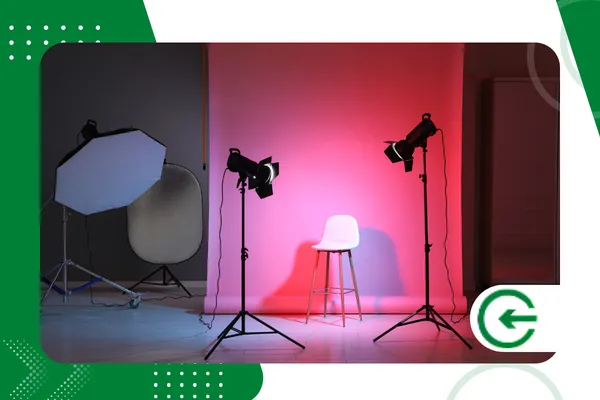
The secret to realism lies in the perfect balance between the saturation of the brightness and the darkness of the surrounding shadows in the scene.
Access the Snapseed curves panel to create a subtle "S" shaped contrast, deepening the dark tones in the photograph.
This technique causes the neon light effect in photos Gain three-dimensional depth instead of appearing flat.
Use the "Color Mix" tool to isolate the chosen hue and increase the specific luminance of that previously selected color.
Visit the official support guide at Adobe Lightroom Help to understand how digital luminance affects neighboring pixels.
This fine-tuning prevents a washed-out look and gives that professional, high-fidelity artistic photographic appearance.
What mistakes should you avoid when editing your images?
The most frequent mistake among beginner editors is exaggerating the opacity of the brushes, resulting in blown-out patches that destroy the original details.
Artificial lights always cause reflections on nearby surfaces, so never ignore ambient lighting on clothing or faces.
Ignoring the natural direction of light instantly destroys the illusion of truthfulness that the viewer seeks.
Another common mistake is applying the neon light effect in photos which were captured under the bright midday sun.
The glow of neon completely loses its visual impact when it competes with the natural brightness of an open, sunny environment.
Always opt for nighttime images or controlled studio backgrounds to get the most out of the vibrant colors.
+ How to create a glow effect in photos for social media.
How do you create depth by placing neon behind objects?
To achieve the visual impact of letters or luminous tubes passing behind the model, you will need to master the use of protective masks.
After drawing the shiny shape over the image, select the eraser tool with medium hardness as configured in your preferred application.
Erase with extreme precision the sections of the line that cross in front of the main body or object.
This simple process creates a fantastic optical illusion, inserting the light element directly into the three-dimensional space of the edited scene.
Make sure to zoom in as much as possible on the image so that the cuts are clean, organic, and without unsightly pixelated edges. This technique elevates the level of... neon light effect in photos, impressing his followers on the feed.
Conclusion
Mastering the use of artificial neon lighting is a valuable skill for any content creator looking to stand out in today's market.
Using only free apps, you can transform simple cell phone recordings into truly futuristic and magnetic digital works of art.
Constant practice and meticulous observation of real lights in the urban environment dramatically accelerate your learning.
Now that you know the right techniques, start experimenting with different color combinations and intensities in your own photographic productions.
To deepen your knowledge of mobile photography and understand digital image guidelines, consult the technology portal. Pixlr Editor, a global reference in publishing.
Apply what you learned today and get ready to see your social media engagement grow significantly.
FAQ – Frequently Asked Questions
Can I apply the neon effect to photos taken during the day?
Yes, but the result requires more editing effort to artificially darken the background through vignetting and exposure adjustments.
Ideal for highlighting the neon light effect in photos It involves using captures made indoors or at night.
What's the best free app for beginners?
PicsArt is the most recommended platform for beginners due to its pre-configured and easy-to-use neon brushes.
It automates the external brightness process, reducing editing time to just a few minutes per image.
How can you make neon look more realistic on a model's skin?
You should create an extra layer of smooth paint using the same neon color over the raised areas of the face.
Setting this layer to "Soft Light" mode with low opacity ensures that the skin receives the reflection perfectly.
Is it possible to edit in high resolution using free apps?
Most free apps maintain the original resolution of the photo, as long as you don't crop the image excessively during the process.
Apps like Snapseed export the final files while maintaining the maximum pixel fidelity allowed by the device.
