
How to create a glow effect in photos for social media.
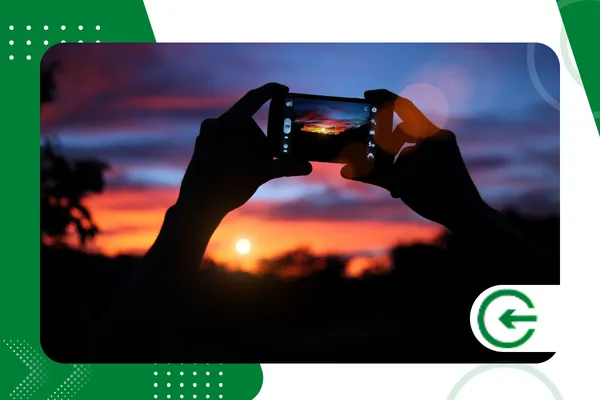
O glow effect in photos He masters the aesthetics of digital platforms, but there's something profoundly magnetic about the way he transforms an ordinary image.
ADVERTISING
This is not merely algorithmic vanity; this diffused lighting mimics the overflow of real light, capturing the eye even before the brain processes the content.
Achieving this look requires understanding how light behaves in the physics and glass of the lens. When applied correctly, the brightness restores the depth lost in the flatness of mobile sensors, returning the volume and freshness that the public usually associates with high-production photography.
Mastering this technique goes beyond simply dragging intensity bars in any app. It requires sensitivity to perceive where the organic reflection would meet the skin or the background, creating a visual connection that seems to float between dream and spontaneous click.
Summary
- What is the glow effect and why does it stand out?
- How to apply a glow effect to photos using free apps?
- What advanced techniques differentiate amateur polish from professional polish?
- Which mobile tools offer the best lighting adjustments?
- Frequently Asked Questions (FAQ)
What is the glow effect and why does it stand out?
Refining digital aesthetics requires visual astuteness. The glow effect in photos It acts as a breath of fresh air in the feed, simulating the classic "golden hour" even in shots taken under the cold light of an office.
advertising
This technique reproduces the light spilling over the edges of objects, creating a striking three-dimensional illusion.
It is an optical behavior that breaks the barrier of the flat screen and delivers texture, warmth, and poetic rawness to the image.
Art directors use this atmosphere to guide the viewer's eyes without them realizing the trick.
The subtle glow creates a natural focal point, making the image's narrative much more engaging and fluid for those scrolling.
How to apply a glow effect to photos using free apps?
Getting started with editing doesn't require expensive packages, as building the... glow effect in photos It depends on the manual balance between controlled exposure, anti-sharpness adjustment, and spot enhancements in areas of interest.
PicsArt effectively addresses this dynamic with adjustable light masks. These masks insert light scattering in post-production in just a few steps, which helps creators who need to maintain a consistent posting schedule without losing their visual identity.
Try enhancing the highlights, subtly reducing the overall contrast, and applying a soft blur to the areas exposed to the original light.
This makes the shine appear to emanate from the environment itself, avoiding the look of an artificial collage.
Another interesting option is Canva. The platform allows you to freely position transparent lighting elements, functioning as virtual reflectors that illuminate dark areas of the composition with great ease and precision.
What advanced techniques differentiate amateur polish from professional polish?
Many people make mistakes because they're too hasty. The secret to... glow effect in photos The professional's role is to respect the logic of the scene, making the digital interference seem like an inevitable extension of the light captured by the camera.
Veteran photographers work with isolated tonal curves to protect the textures of skin and clothing.
If you simply brighten the entire image, the details disappear and the result takes on a washed-out and lifeless appearance.
The color temperature defines the tone of the narrative. A golden glow evokes nostalgia and coziness; while cool or neon lights require bluish halos so that the composition doesn't look like a technical editing error.
+ How to use generative AI in photos to create realistic scenarios.
Which mobile tools offer the best lighting adjustments?
The choice of application directly shapes the final texture of your work. Each software handles compression and color gradients in a unique way, influencing the visual appearance that reaches the viewer.
+ How to create eye-catching video thumbnails using apps.
| Mobile Application | Main Brightness Feature | Opacity Control | Difficulty of Use |
| Lightroom Mobile | Tone Curves and Masking | Advanced (Layers) | Average |
| Snapseed | Glamorous Shine and Glow | Linear (Sliding) | Low |
| PicsArt | Light Masks and Filters | Adjustable | Low |
| Photoshop Express | Blur and Luminescence Effects | Necessary | Average |
How can I optimize photo export to avoid losing brightness quality?
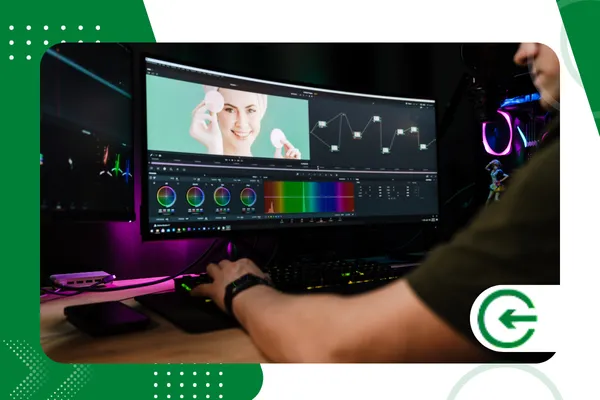
Saving the file indiscriminately destroys the smooth transition that the glow effect in photos This creates those pixelated patches and horrible color gradients generated by automatic compression on social networks.
Adjust the export to JPEG format at maximum quality, ensuring that the color space remains in sRGB.
This precaution prevents the photo from changing tone or losing its vibrancy when processed by servers.
Resizing the image to the exact width required by the platform — such as the standard 1080 pixels — prevents the algorithm from mutilating the original sharpness, preserving the smoothness of the brightness that you so carefully calibrated.
This technical attention to detail keeps the professional look intact from the editing screen to the user's device.
It's the invisible whim that differentiates an amateur profile from a brand that positions itself with authority and aesthetic refinement.
+ How to remove noise from night photos on your cell phone.
Conclusion
Working glow effect in photos It's a strategic choice for those who want to escape visual monotony, transforming the mechanical scrolling of the feed into a moment of pause and genuine appreciation for the audience.
Balancing the intensity of this brilliance while preserving the rawness of the details creates a mature aesthetic signature. This attracts the attention of a discerning following and establishes a valuable quality standard for the digital market.
To understand how new display formats handle brightness gradients on the internet, you can consult the technical guidelines maintained by W3C Image Standards, A consortium that dictates the direction of web technology.
Frequently Asked Questions (FAQ)
Does the glow effect work in all types of photography?
Yes, the glow effect in photos It enriches portraits, landscapes, and products, provided that the starting point of the highlight respects the original light sources that were already part of the framing.
Is it possible to create this effect without installing heavy applications?
Several native social media tools offer light diffusion filters that mimic the effect of old lenses, allowing you to test this luminous atmosphere directly on your phone's camera.
Can excessive use of brightness harm engagement?
Excess creates an artificial layer that breaks the sense of authenticity. The public tends to shy away from images that seem plastic or disconnected from the reality of the human eye.
What is the difference between glow and overexposure in editing?
Glow diffuses light softly, creating a subtle haze around bright areas. Overexposure simply burns the pixels, eliminating color information and destroying image detail.
